
EventMon v2.3
EventMon v2.3 brings full WebMon v2.3 widget customization parity to desktop event cards and modular HUDs: a tabbed Main/Header/Footer component designer, toggleable Header & Footer chrome with edge-to-edge full-card bleed and a hover 4-way move-cross mini-toolbar, static text, environment variables ($USER, $HOST, $HOME, $SHELL), date/time and last-refresh tokens, per-token typography across 10 font families, custom widget surface backgrounds (Solid, Two-Tone Gradient, Procedural Wallpaper), 30-step Undo, Copy Widget with new-name prompt, and scrollbar-free full-card item expansion.
Structured Telemetry & Diagnostic Forensics for macOS
Apple's built-in Console.app floods you with thousands of unstructured lines per second and loses context immediately. EventMon brings Windows 11 Event Viewer structure, deterministic Event IDs, and visual correlation topology to macOS.
Automatically classifies macOS `OSLogStore` streams into five structured Windows-style channels: System, Security & Auth, Application, Hardware & IOKit, and Crash & Diagnostics—with deterministic Windows-familiar Event IDs and severity badges.
Inspect any event in a split-pane forensics drawer featuring General metadata (PID, Thread ID, Activity ID, Mach continuous timestamp, executable path), formatted JSON, or authentic Windows Event Viewer <Event> XML schema with 1-click copy and export.
Interactive 3-column Bezier curve topology connecting Source Processes (PID & severity badge) → Subsystems & Categories (`com.apple.securityd`, `com.apple.kernel`) → Target Channels & Log Stores. Click any process node for 1-click isolation or hierarchical tree view.
Automatically scans `~/Library/Logs/DiagnosticReports` and `/Library/Logs/DiagnosticReports` for `.ips` and `.crash` files. Parses exception types (`EXC_BAD_ACCESS`, `EXC_CRASH`, `EXC_GUARD`), termination reasons, crashed thread backtraces, and binary images.
Create, persist, and switch between multi-criteria filter rules combining channels, severity levels, subsystem/process regex patterns, Event ID lists, and time windows. Ships with 4 built-in forensic presets including Security & Auth Audit and Kernel & IOKit Faults.
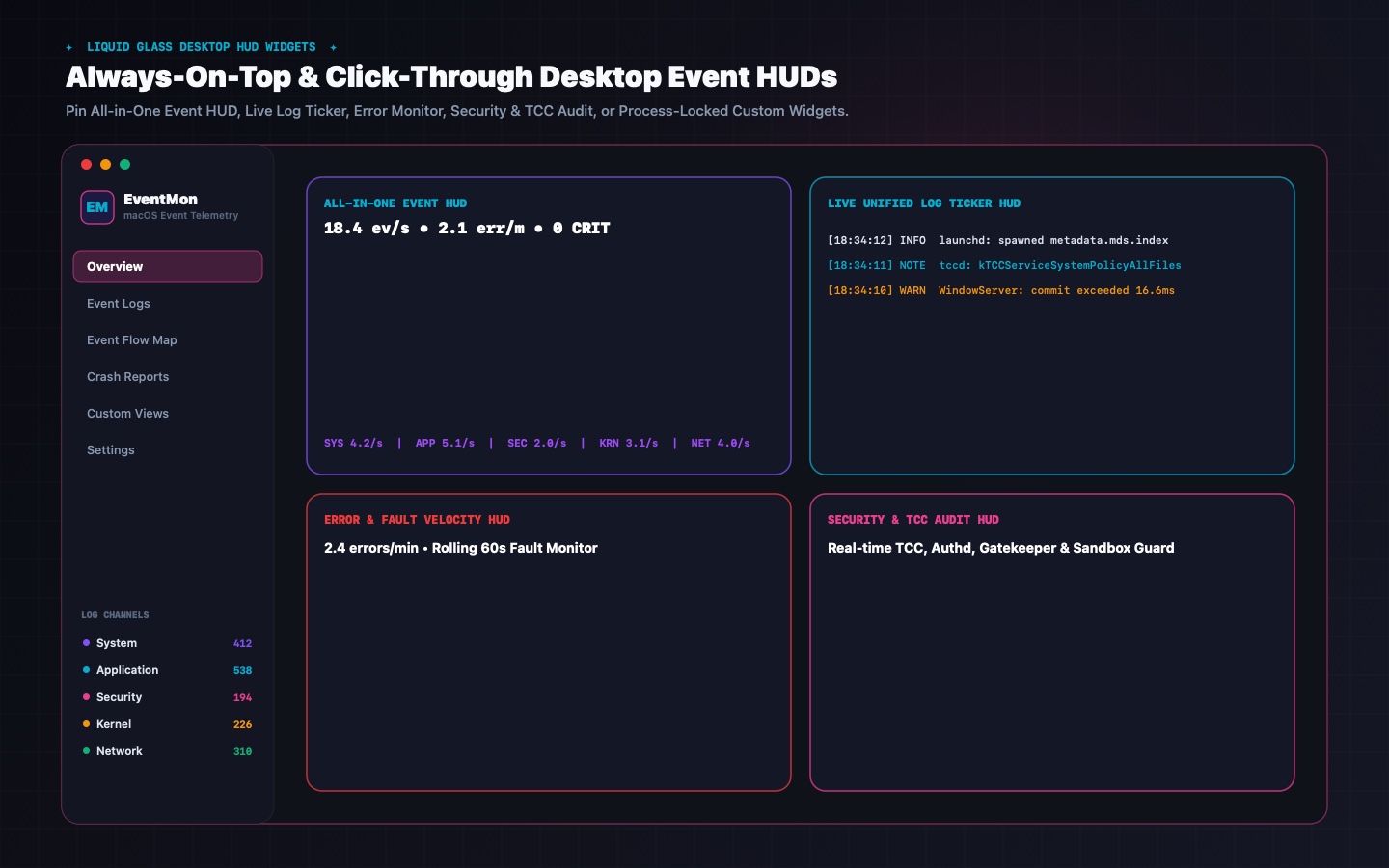
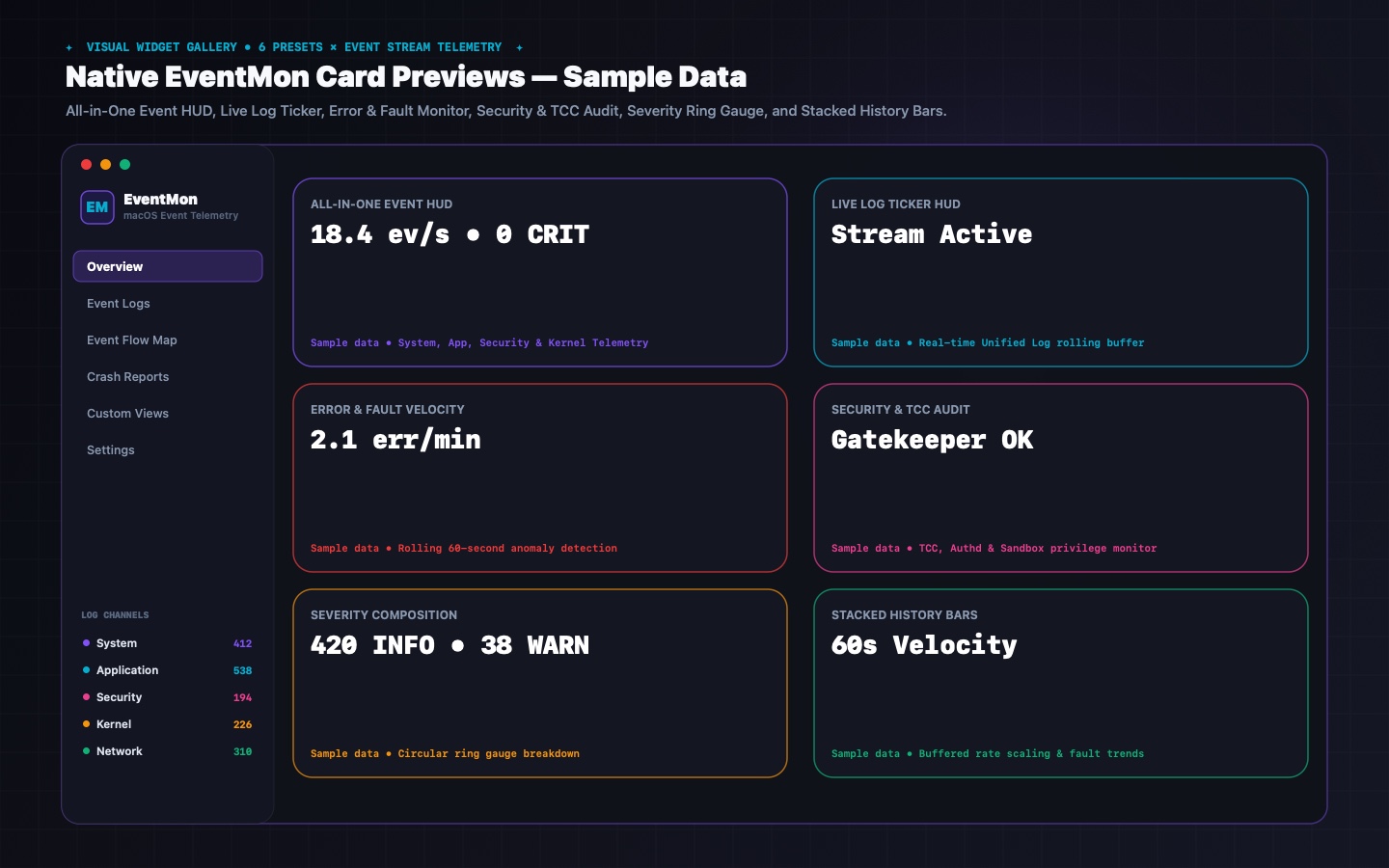
Pin borderless liquid-glass HUD windows directly to your desktop wallpaper layer or float them above all apps: All-in-One Event HUD, Live Event Ticker, Error & Fault Monitor, Security & Auth Audit HUD, plus up to 3 Modular Custom Widgets.
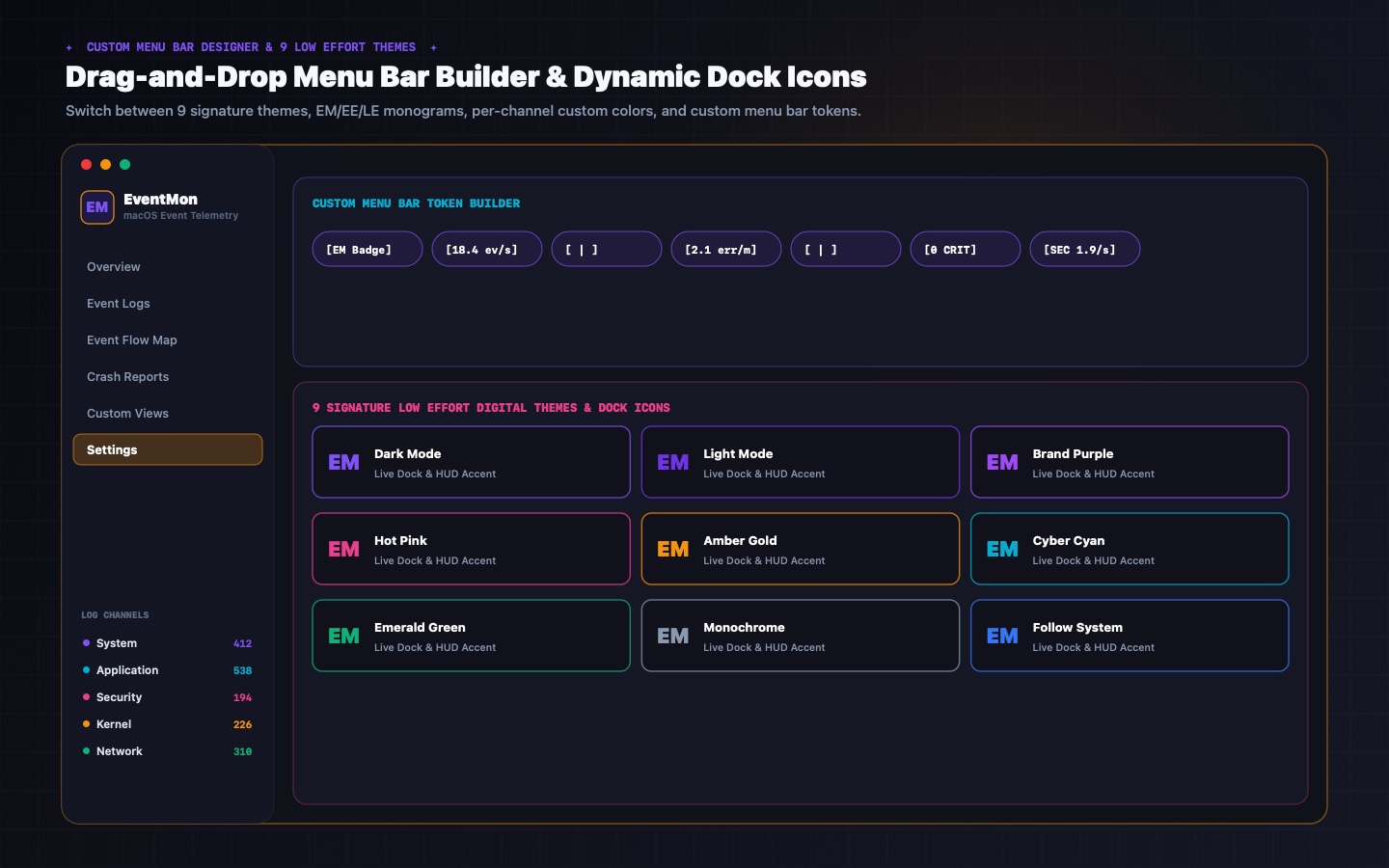
Design your own macOS status bar telemetry strip with drag-and-drop tokens (`Events/sec`, `Error Count`, `Critical Count`, `Crash Count`, `Top Subsystem`, `Sparkline`), monospaced digits, independent label/value hex colors, and vector `EM`, `EE`, or `LE` monogram icons.
Matches the Low Effort Digital design language with 9 themes (Dark Mode, Light Mode, Vivid Purple, Hot Pink, Monochrome, Cyber Cyan, Emerald Green, Amber Gold, Follow System) and one-click cross-app synchronization of themes, custom accents, and persistent `.app` bundle Dock icons across EventMon, PerfMon, and VolMon.
Built-in GitHub Release verification and one-click `.dmg` download & install (`LowEffortDigital/EventMon`). Zero cloud servers, zero external dependencies, and zero telemetry capture—all log inspection happens 100% locally on your Mac.
Real-Time Log Intelligence & Forensics
Explore EventMon v2.3's 5-channel log explorer, 3-column Bezier correlation map, crash report analyzer, and liquid-glass desktop HUD widgets.
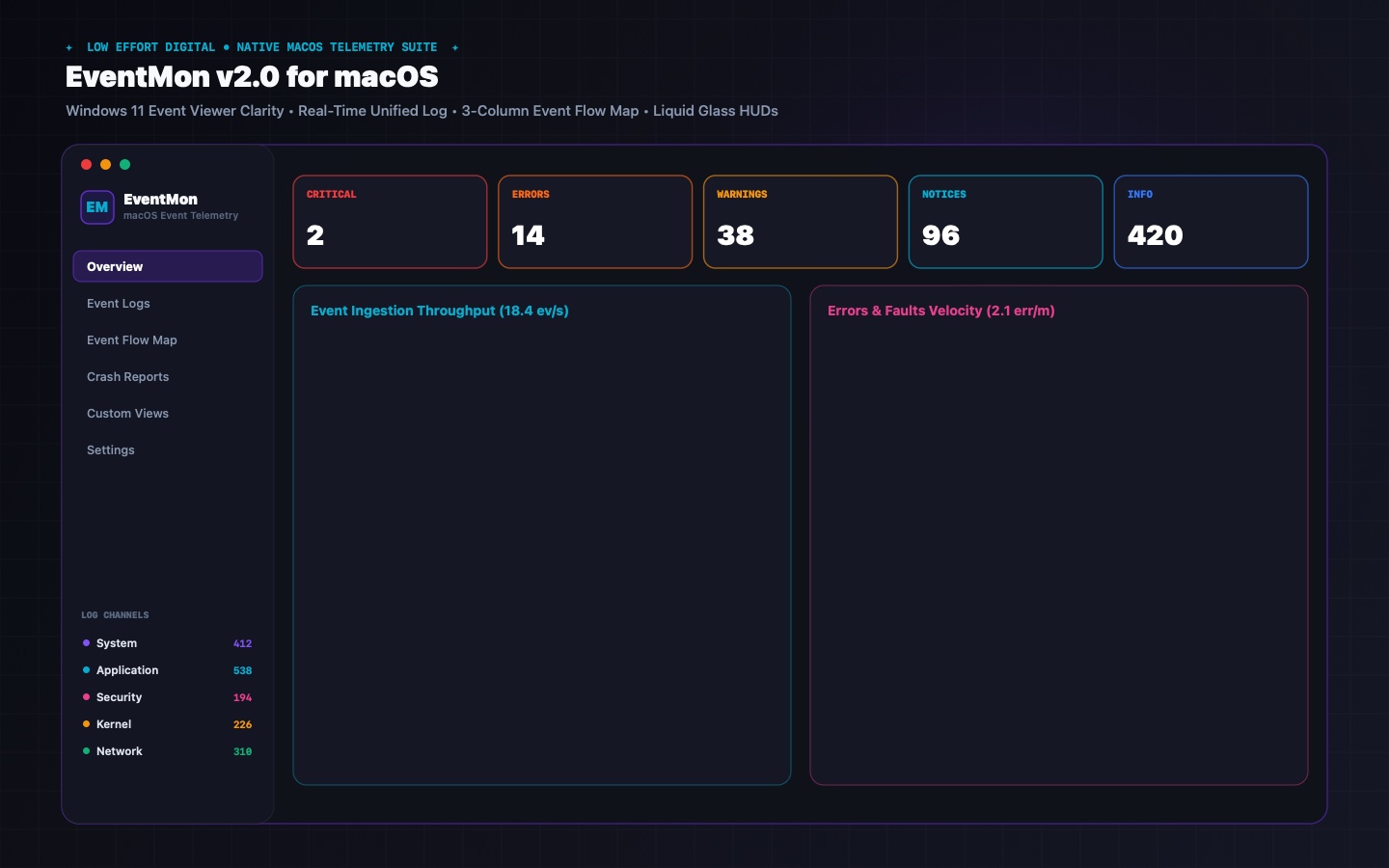
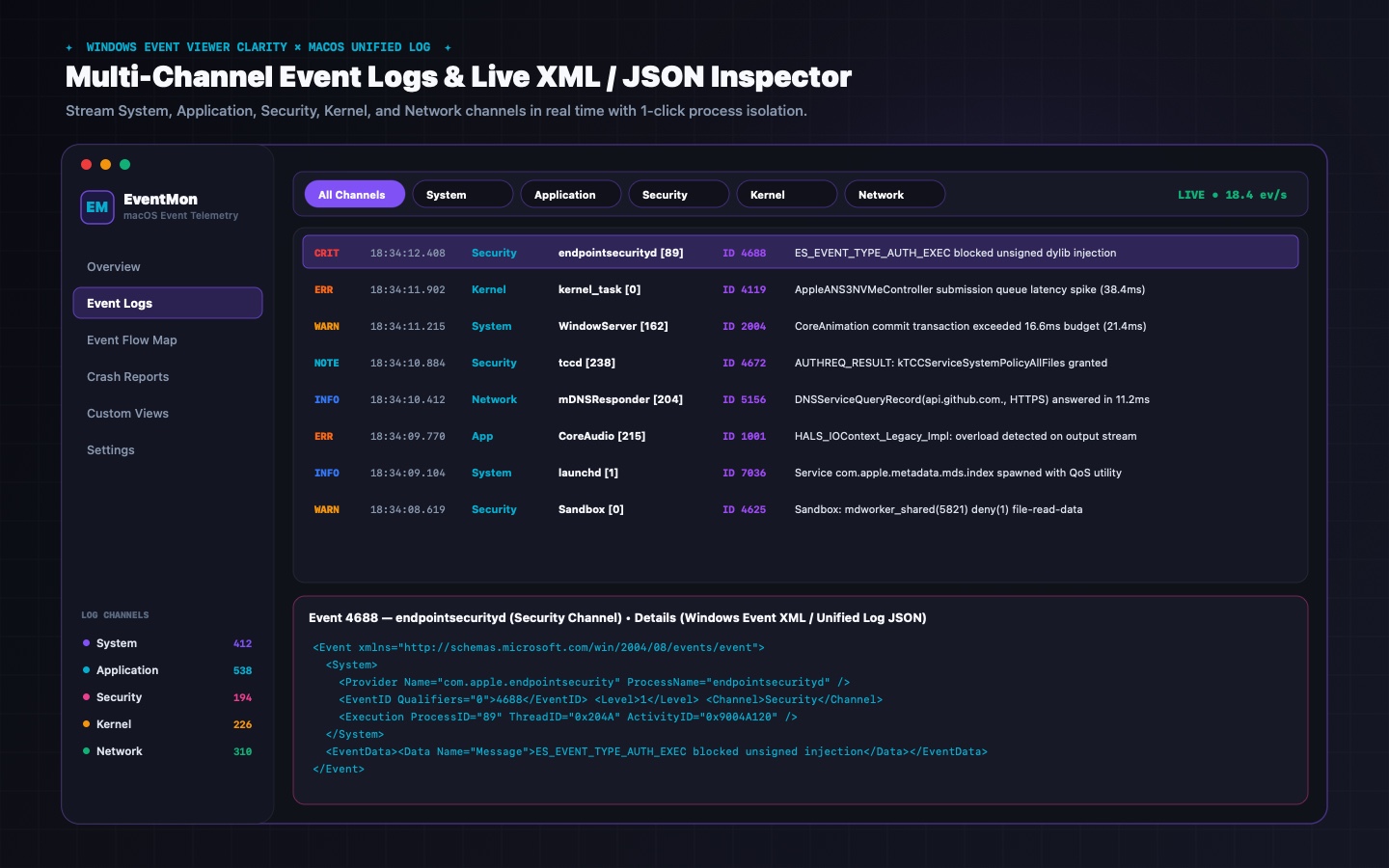
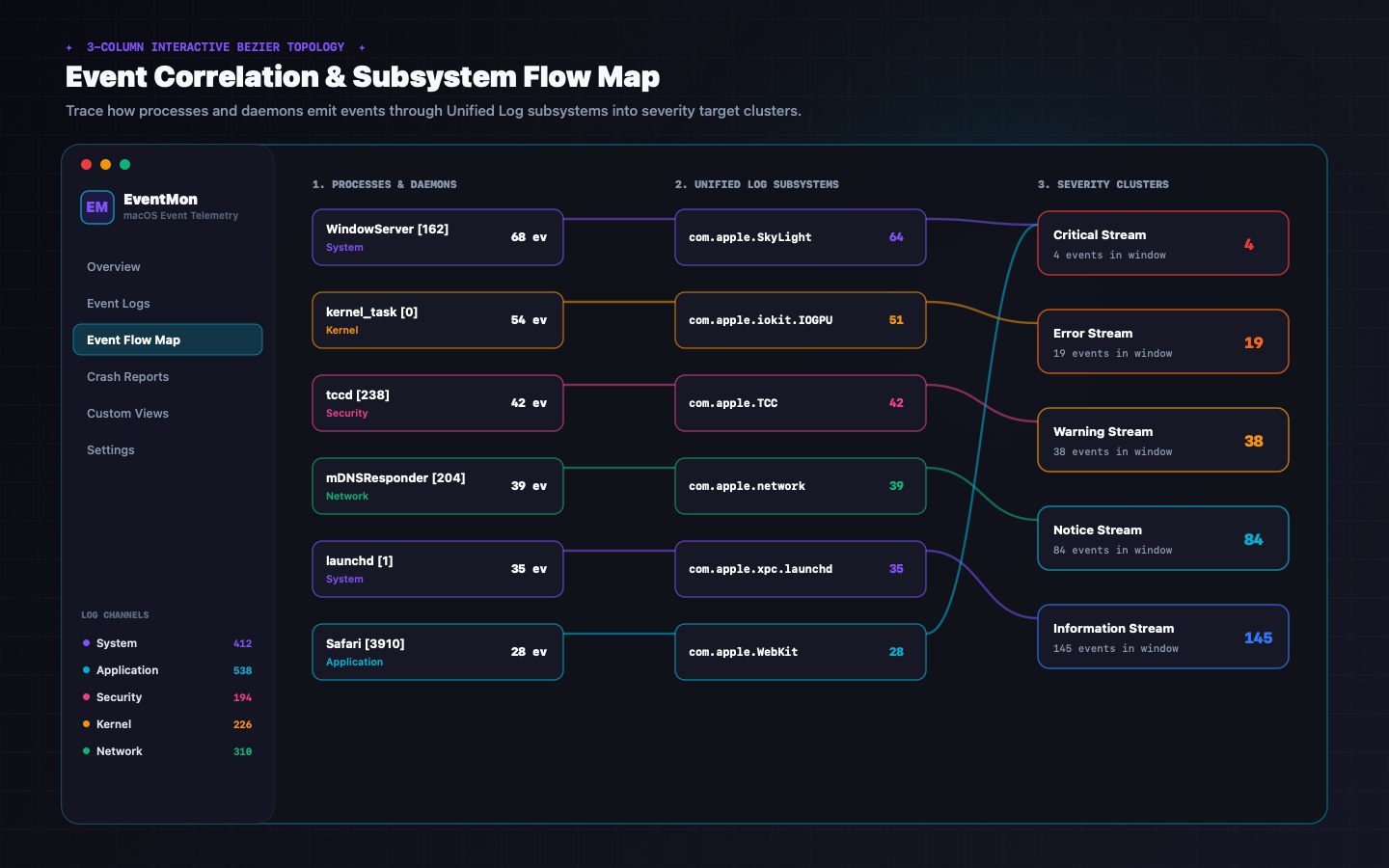
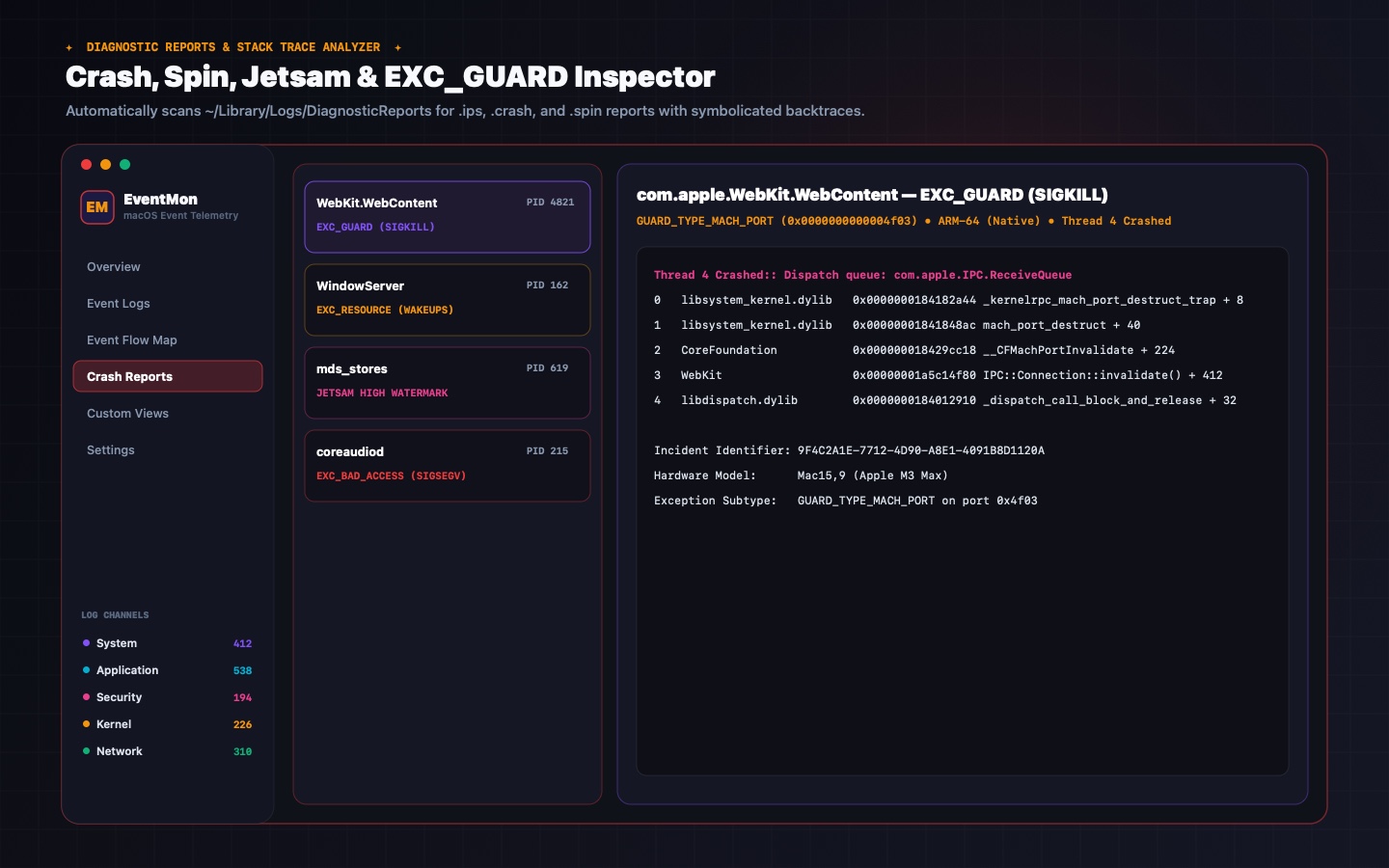
EventMon v2.3 System Architecture
EventMon v2.3 vs. Apple Console.app
| Capability | EventMon v2.3 (Low Effort Digital) | macOS Console.app |
|---|---|---|
| Windows 11 Event Viewer Channel Architecture | ✓ 5 Structured Channels (System, Security, App, Hardware, Crash) | ✗ Unstructured firehose stream |
| Deterministic Windows-Style Event IDs | ✓ Stable Event IDs (e.g. 4624/4625 Auth, 1001 Crash, 3012 IOKit) | ✗ None |
| Windows Event XML + JSON Dual Inspector | ✓ General, Formatted JSON, & Windows Event XML schema tabs | ✗ Plain text bottom pane only |
| 3-Column Event Correlation Flow Map | ✓ Interactive Bezier topology (Process → Subsystem → Channel) + 1-click isolation | ✗ None |
| Built-In Crash & EXC_GUARD Forensics (.ips/.crash) | ✓ Parsed exception codes, crashed thread stack frames & binary images | ✗ Raw text dump only |
| Saved Multi-Rule Custom Views & Presets | ✓ Persistent custom filter rules + 4 built-in security/kernel presets | ✗ Basic search bar predicates |
| Sub-Second Desktop Event HUD Widgets | ✓ 5 desktop HUDs + modular custom widget builder (.desktop pinning) | ✗ None |
| Custom Menu Bar Token Builder & EM Monogram | ✓ Drag & drop token rack, EM/EE/LE badge, custom hex colors | ✗ None |
| 60-Second Stacked Severity Rate Grid Chart | ✓ Live Critical / Error / Warning / Info rate waveform | ✗ None |
| 9 Studio Themes & Dynamic Dock Icon Switching | ✓ 9 themes (Dark, Vivid Purple, Hot Pink, Cyber Cyan, etc.) + live .icns | ✗ System Theme Only |
What's New in EventMon v2.3 (Build 22) & How to Install
EventMon v2.3 introduces homogenized tactile LowEffortButtonStyle controls, active-display multi-monitor desktop widget placement with always-on-top floating mode, and full cross-app theme & Dock icon sync.
• Tactile LowEffortButtonStyle action buttons across log channels, filters, and inspectors.
• Active-screen multi-display widget placement (preferredActiveScreen()) & floating HUD migration.
• Optional rounded Card HUDs and 8 buffered event graph styles.
1. Download EventMon.dmg.
2. Mount the disk image and drag EventMon.app into /Applications.
3. On first launch, right-click EventMon.app → Open or run xattr -cr /Applications/EventMon.app.
EventMon reads Apple's native OSLogStore and DiagnosticReports directly on your Mac with zero network connections, zero cloud log forwarding, and zero telemetry capture.
EventMon v2.3 Frequently Asked Questions
EventMon classifies OSLogStore subsystems and categories into 5 structured channels—System, Security, Application, Kernel/Hardware, and Crash Reports—and generates deterministic Event IDs (like 4624 Auth Success or 1001 Crash) for instant filtering.
The Correlation Flow Map draws real-time Bezier curves linking Processes → Subsystems → Severity Channels. Clicking any node isolates all events from that process or subsystem across the entire buffered log window.
Yes. EventMon parses modern JSON-formatted .ips and legacy .crash reports from DiagnosticReports, highlighting exception codes (EXC_BAD_ACCESS, EXC_GUARD), Mach codes, and symbolicated thread stack frames.
Yes. EventMon includes 6 desktop widget presets (including Live Event Ticker, Security & Auth Audit HUD, and Severity Rate Sparklines) with 8 selectable graph styles and optional rounded Card presentation.
Explore Sibling Utilities
All Low Effort tools share seamless cross-app theme and Dock icon synchronization, sub-second desktop HUD widgets, and 100% on-device privacy.



Done optimizing with EventMon v2.3?
Go play something bad.
You deserve a break. We have 12 games. They're all weird. Most are free. None will make you better at anything.
🎮 Browse our bad games