WebMon v2.3
WebMon v2.3 (Build 43) introduces a full Custom Card Layout Editor & Per-Component Cell Designer across macOS and iOS (13 Telemetry Card Styles including Custom Layout Builder with 1–4 column grids, Hero/Chart zone placement, per-element micro-widgets [Progress Bar, Sparkline, Circular Ring, Status Pill, Delta Badge], label position, column span, and custom prefix/suffix), flattened 10pt HUD rounded edges with automatic corner-safe insets so corner-most items are never cut off, a non-overlapping chromeless control bar (Top Safe Gutter & Hover Auto-Inset modes so the Refresh button never covers top-right metrics), full-card scrollbar-free item expansion, tabbed Main DOM / Header / Footer component customization, configurable DOM Refresh Settle Wait Time (0–30s, default 12s), multi-step Undo when editing widgets, up to 100 data items per card with Visible/Hidden toggle, 1-click Reopen DOM Chooser at URL & Update Widget mode, Copy Widget duplication, and 10 font families.
Pin Any Live Website Component to Your macOS Desktop
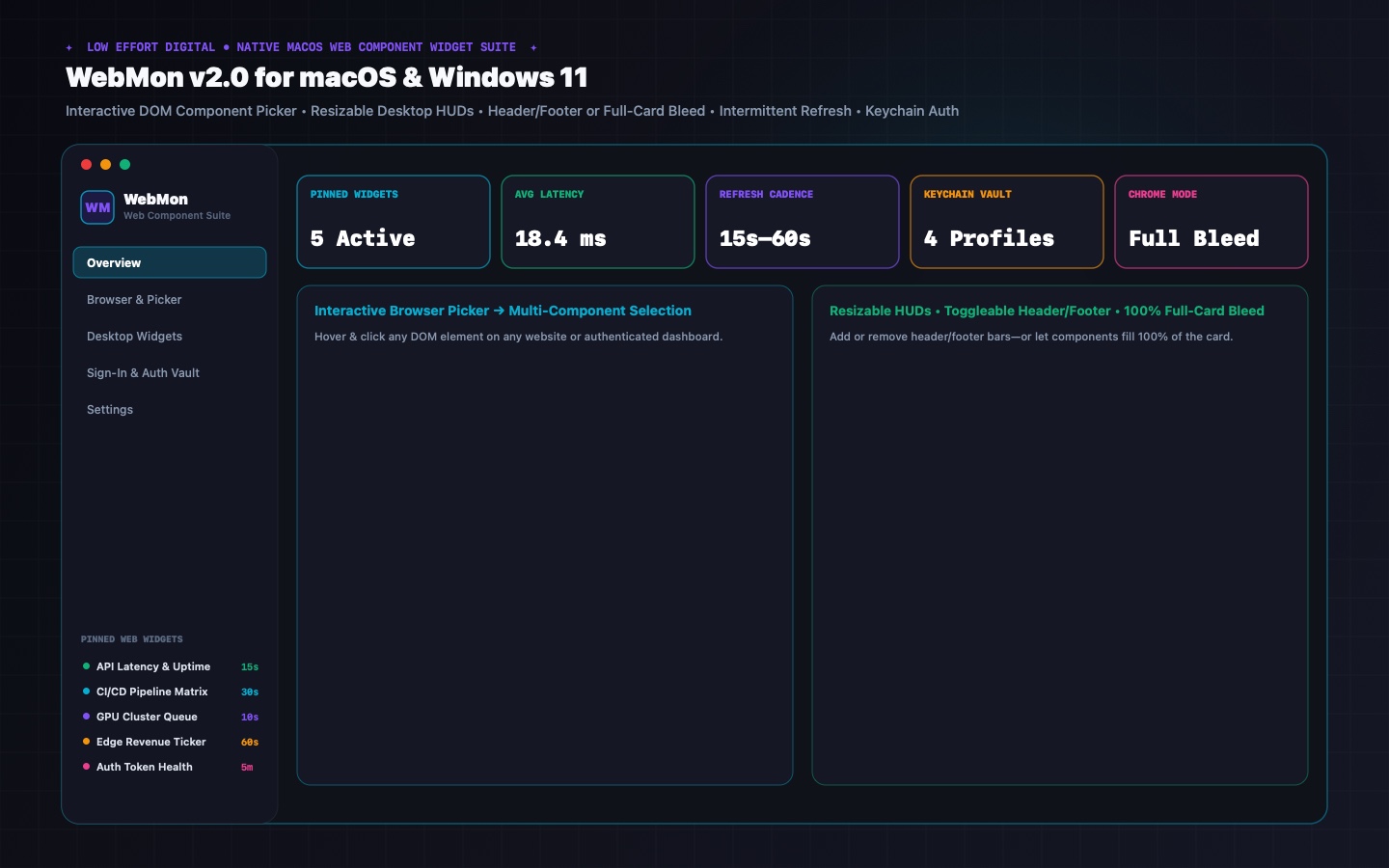
Stop keeping twenty browser tabs open just to watch a Grafana panel, CI/CD build matrix, or revenue ticker. WebMon lets you visually select the exact DOM components you care about and pin them as resizable desktop HUDs with persistent authentication and intermittent refresh.
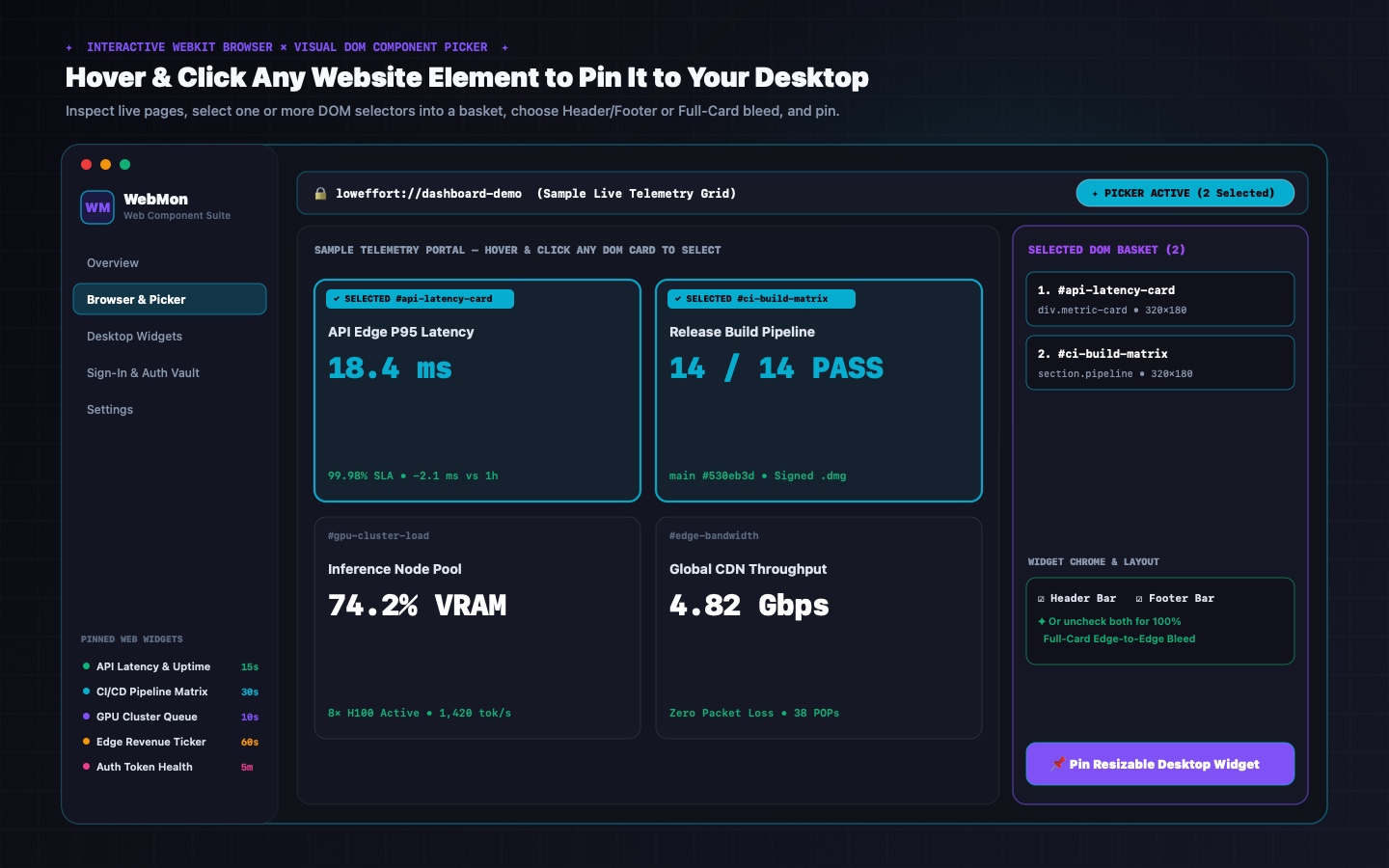
Browse any HTML page, JSON API, or XML/RSS feed in the built-in WebKit view. Hover and click DOM elements, or use the split Visual Field Tree + Code Query Editor (`$.a.b[0].c`, XPath, `{{value}}` templates), plus Static Text, Environment Variables (`$USER`, `$HOST`), and Date/Time tokens with per-item typography formatting.
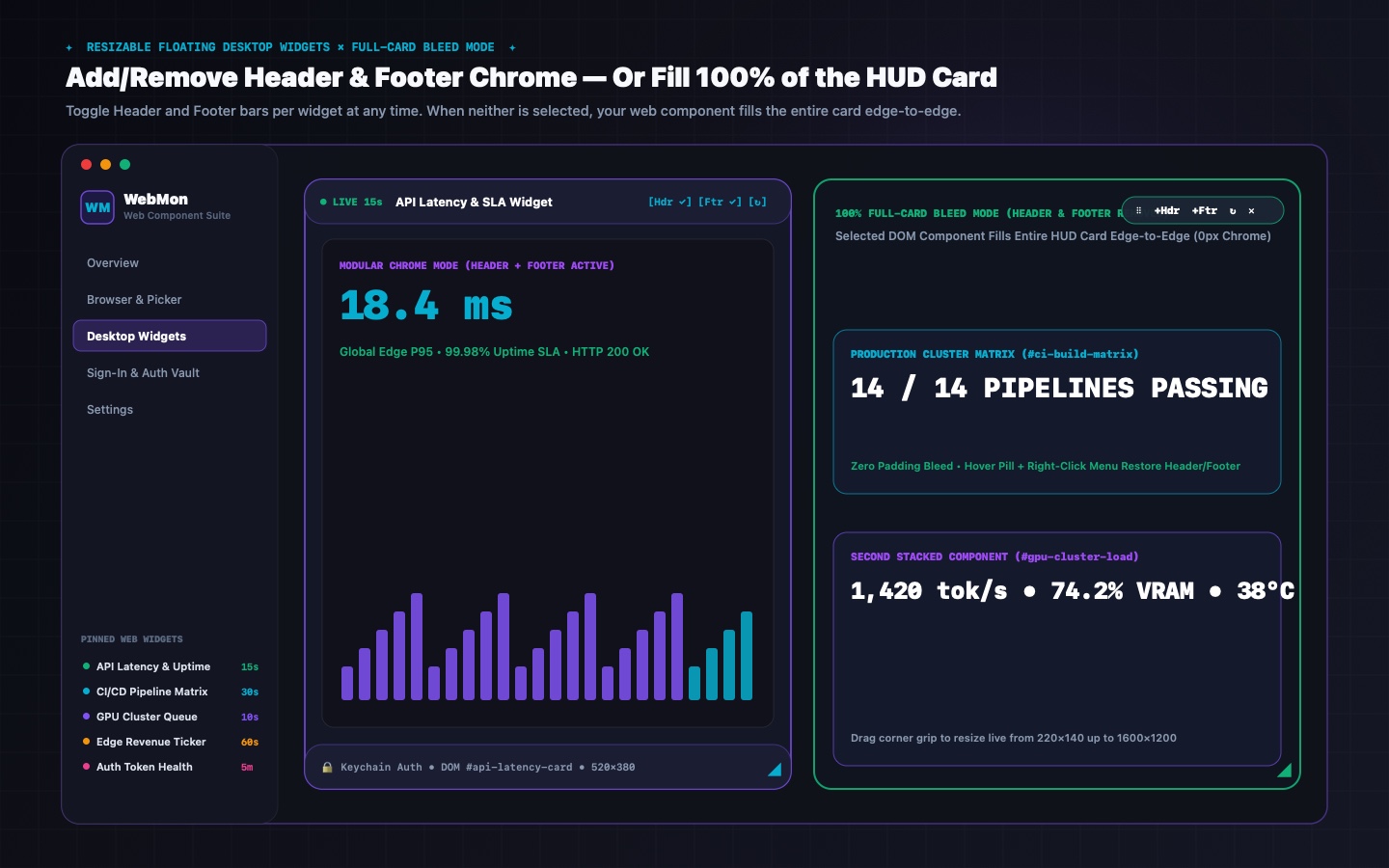
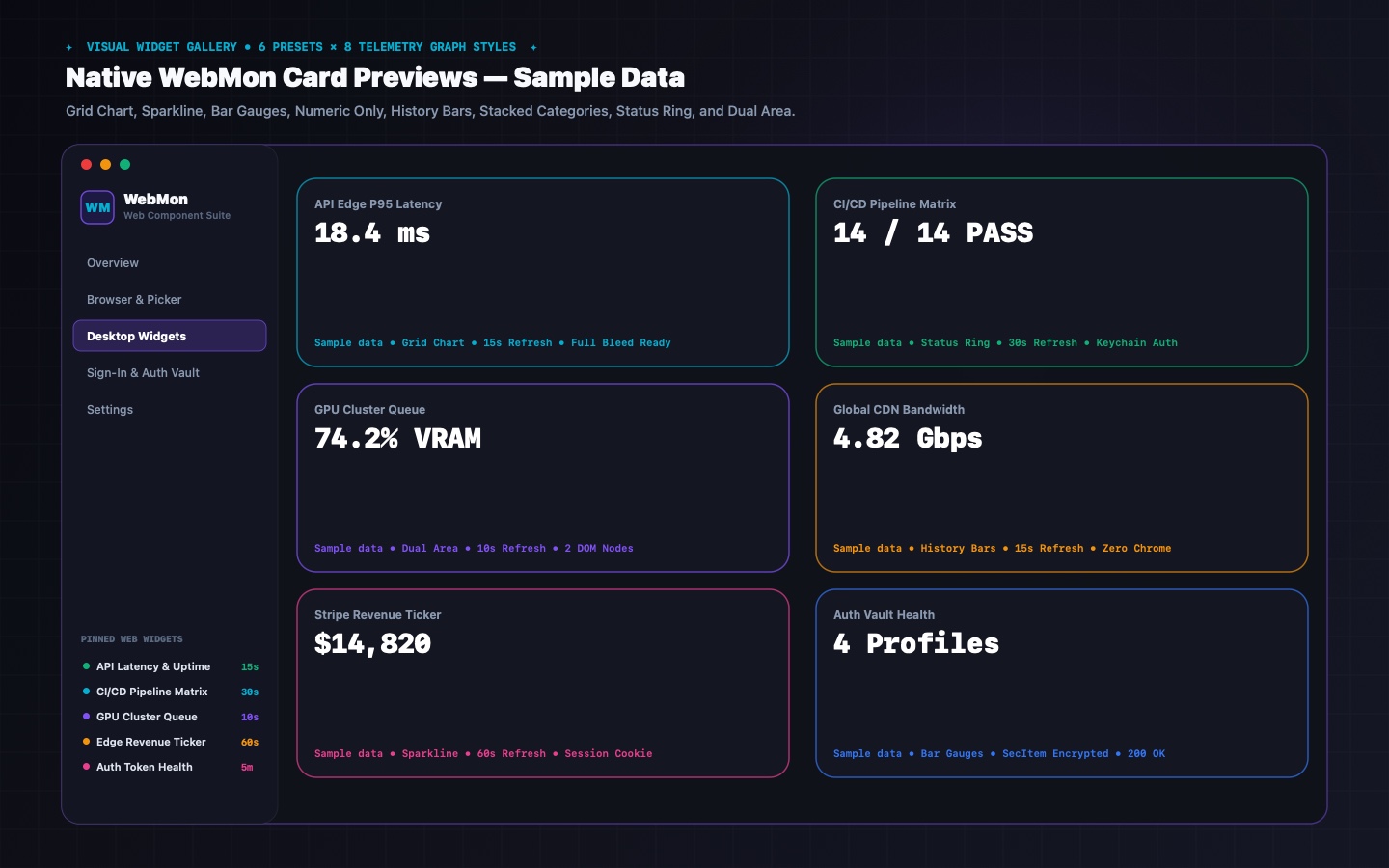
Render live values with 12 adaptive card styles (History Bars, Area Line, Horizontal Bar, Tachometer, Utilization Ring, Stat Tiles, Half Gauge, Signal Strip, Delta Comparison, Hero Metric, Key-Value Table, Terminal) with Smart Data Dissolve, or toggle Header/Footer for 100% edge-to-edge card bleed.
Every pinned widget runs in its own borderless Liquid Glass `NSPanel` with Header & Cross-Icon drag anchors, corner resize (`220×140` to `1600×1200`), active-screen multi-display placement, and Sign in with Apple iCloud sync to iOS 16.0+ Home, Lock Screen, and iPad ExtraLarge widgets.
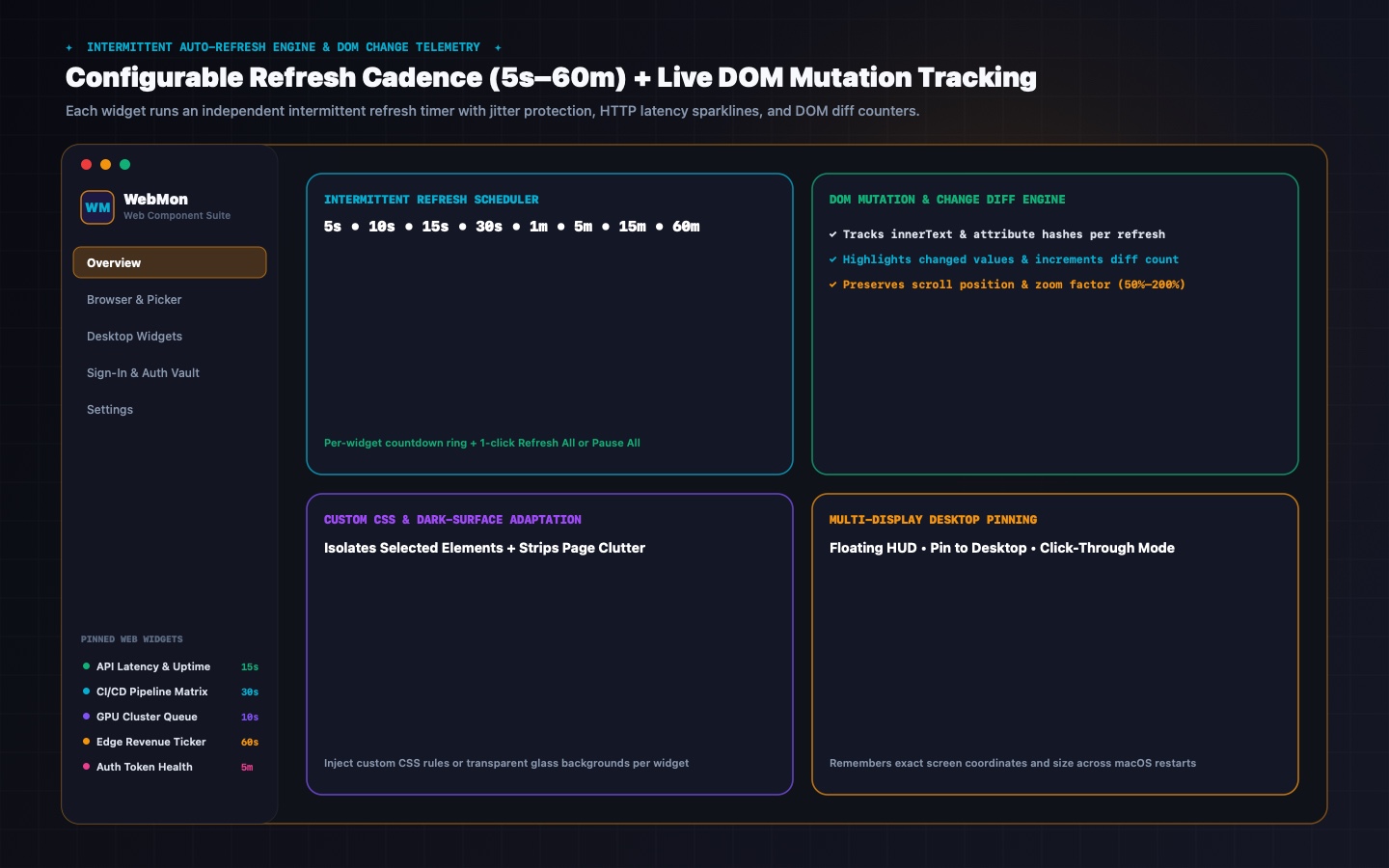
Configure per-widget refresh cadences from 5 seconds to 60 minutes. Each widget tracks its next countdown tick, HTTP status code, response latency in milliseconds, and DOM text changes without stealing window focus.
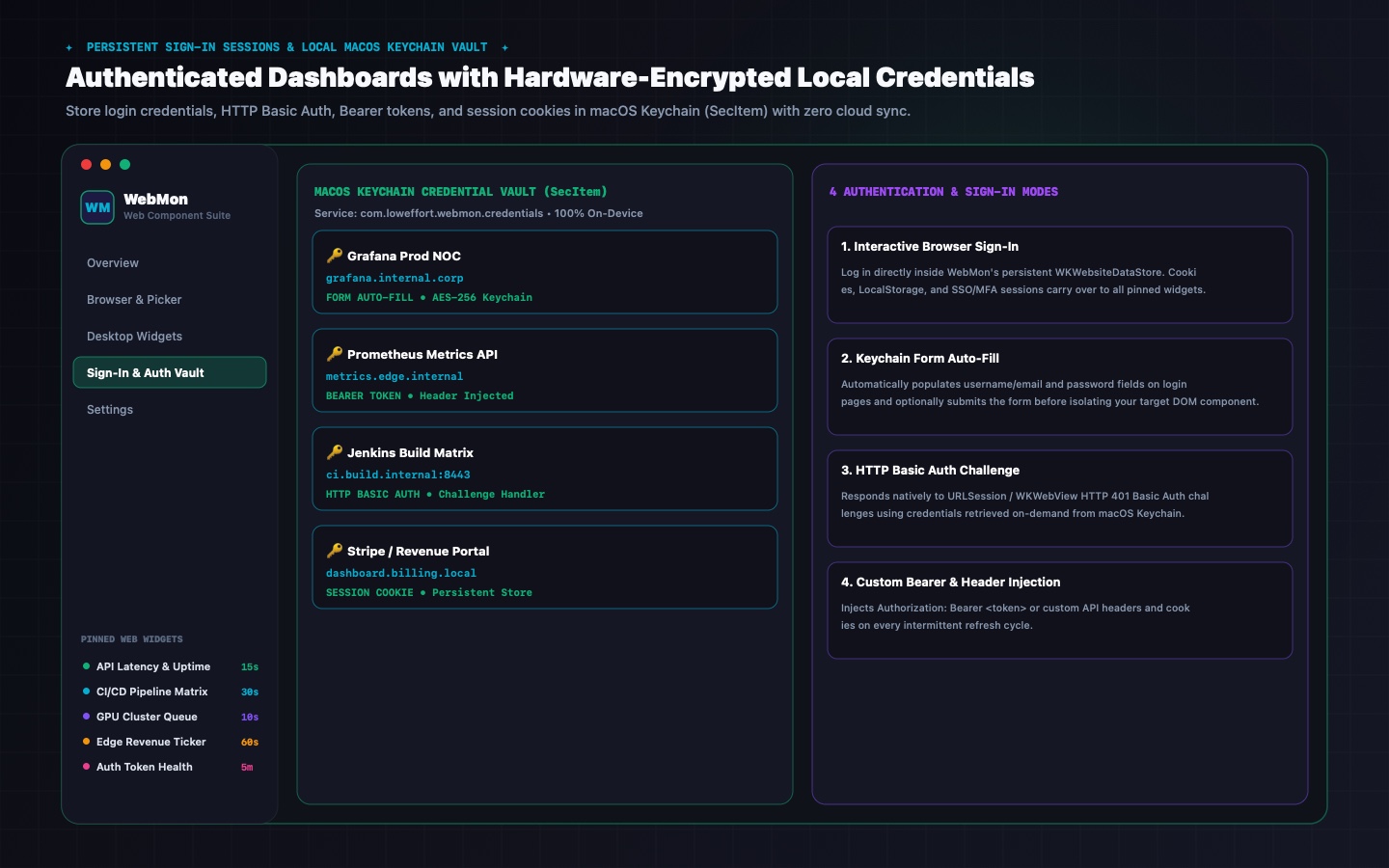
Supports interactive browser sign-in (`WKWebsiteDataStore.default()`) plus a local macOS Keychain vault (`SecItem`) for Form Auto-Fill, HTTP Basic Auth challenges, custom Bearer headers, and session cookies—never leaves your Mac.
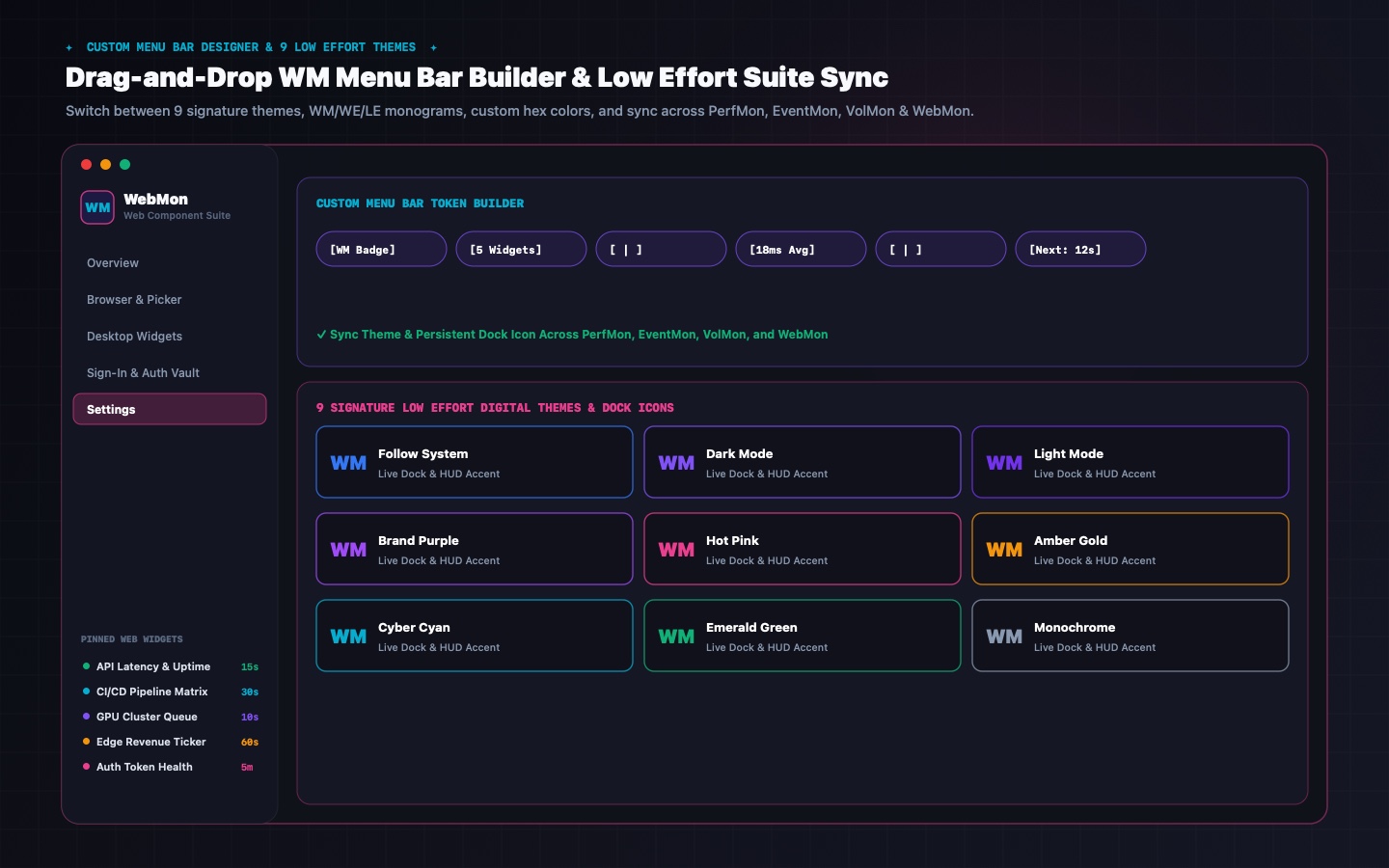
Customize your macOS menu bar with WM/WE/LE monogram badges and live refresh telemetry tokens, while automatically syncing your chosen studio theme, accent color, and persistent Dock icon across PerfMon, EventMon, VolMon, and WebMon.
Inside WebMon v2.3 for macOS
Every screen is rendered natively with deterministic sample telemetry components—showing interactive DOM picking, resizable full-bleed desktop HUDs, Keychain authentication, and intermittent refresh.
WebMon v2.3 System Architecture
WebMon v2.3 vs. Standard Browser Windows & Web Apps
| Capability | WebMon v2.3 (Low Effort Digital) | Standard Browser / Web App Windows |
|---|---|---|
| Visual DOM Component Isolation | ✓ Hover & click one or more specific DOM selectors to isolate | ✗ Renders entire page with navbars, sidebars & ads |
| Toggleable Header/Footer & 100% Full-Card Bleed | ✓ Add/remove Header & Footer independently or 100% edge-to-edge card fill | ✗ Permanent window titlebar & browser chrome |
| Intermittent Auto-Refresh Scheduler | ✓ Built-in per-widget timer (5s to 60m) with countdown & latency tracking | ✗ Requires third-party extensions or manual reload |
| Local macOS Keychain Credential Vault | ✓ SecItem Form Auto-Fill, HTTP Basic Auth, Bearer headers & cookies | ✗ No automated Bearer header or multi-profile HUD injection |
| Desktop Wallpaper Pinning & Click-Through | ✓ Floating HUD, Pin to Desktop (.desktop), & Click-Through lock | ✗ Standard application window layer only |
| Custom Menu Bar Token Builder & WM Monogram | ✓ Drag & drop token rack, WM/WE/LE badge, custom hex colors | ✗ None |
| Low Effort Suite Cross-App Theme & Icon Sync | ✓ Syncs 9 themes & persistent Dock icons across PerfMon, EventMon, VolMon & WebMon | ✗ None |
What's New in WebMon v2.3 (Build 35) & How to Install
WebMon v2.3 delivers full macOS ↔ iOS/iPadOS parity across 12 Adaptive Telemetry Card Styles, Smart Data Dissolve, and Static Text / Environment Variable / Date-Time token items with per-item typography formatting.
• 12 Adaptive Telemetry Card Styles + Smart Data Dissolve & HTML stripping.
• Static Text, Environment Variables ($USER, $HOST), & Date/Time tokens with per-item font size, weight, style, design & color.
• Header & Cross-Icon drag handles, active-screen multi-display placement, and iOS 16+ / iPad ExtraLarge widgets.
• macOS (14.0+): Download WebMon.dmg, drag WebMon.app to /Applications, and launch.
• Windows 11 (x64): Download and run WebMon-Setup.exe.
• iOS/iPadOS (16.0+): Sign in with Apple in WebMon to sync widgets across Mac, iPhone, and iPad via iCloud.
All DOM scraping, JSON/XML evaluation, and Keychain/WinCred authentication happen 100% locally on your device. Cross-device widget sync uses your private Apple CloudKit container.
WebMon v2.3 Frequently Asked Questions
When you open any JSON API (e.g. api.github.com/rate_limit) or XML/RSS feed, WebMon automatically formats it into interactive field cards and provides a split Visual Field Explorer Tree + Raw Code Query Editor supporting JSONPath ($.a.b[0].c), XMLPath (/rss/channel/item[0]/title), and multi-value templates ({{value}}).
Live Web Component widgets can hide both Header and Footer bars so the live webpage slice fills 100% of the floating window edge-to-edge, whereas Telemetry Card widgets extract structured values into 12 native chart/gauge/table layouts with Smart Data Dissolve.
You can either sign in interactively inside WebMon's shared WebKit/WebView2 session or save an encrypted profile in the local Keychain Vault supporting Form Auto-Fill, HTTP Basic Auth, custom Bearer token headers, and session cookies.
Yes. WebMon v2.3 lets you combine DOM selectors and JSON/XML paths with Static Text headers, Environment Variables ($USER, $HOST), and live Date/Time tokens, each styled with its own font size, weight, design, and color.
Explore Sibling Utilities
All Low Effort tools share seamless cross-app theme and Dock icon synchronization, sub-second desktop HUD widgets, and 100% on-device privacy.

Done optimizing with WebMon v2.3?
Go play something bad.
You deserve a break. We have 12 games. They're all weird. Most are free. None will make you better at anything.
🎮 Browse our bad games