PerfMon v2.3
PerfMon v2.3 brings full WebMon v2.3 widget customization parity to desktop telemetry cards and modular HUDs: a tabbed Main/Header/Footer component designer, toggleable Header & Footer chrome with edge-to-edge full-card bleed and a hover 4-way move-cross mini-toolbar, static text, environment variables ($USER, $HOST, $HOME, $SHELL), date/time and last-refresh tokens, per-token typography across 10 font families, custom widget surface backgrounds (Solid, Two-Tone Gradient, Procedural Wallpaper), 30-step Undo, Copy Widget with new-name prompt, and scrollbar-free full-card item expansion.
Engineered for Precision, Speed, and Zero Overhead
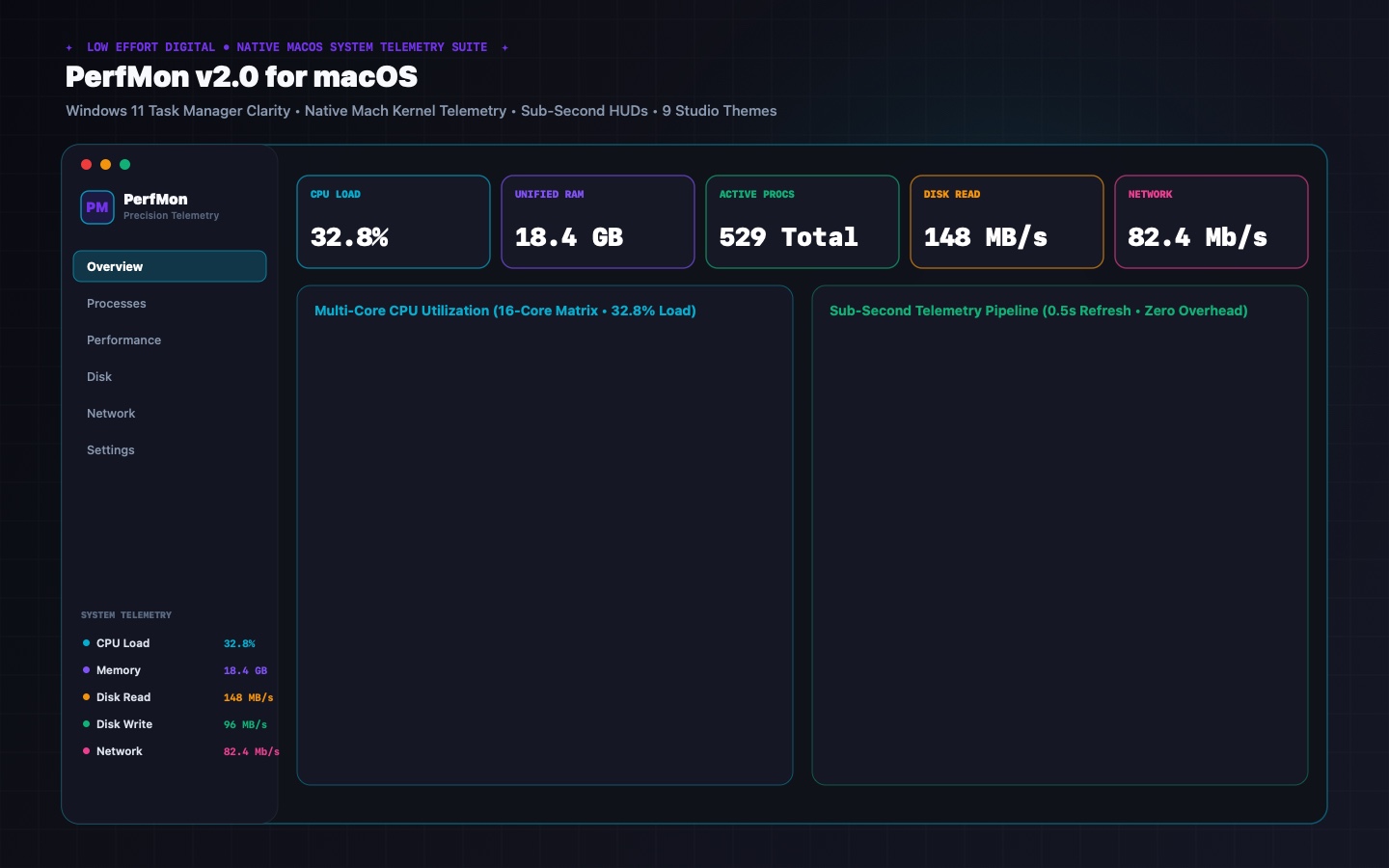
PerfMon combines low-level Darwin/Mach kernel metrics with desktop visualization tools that Apple's built-in utilities and restricted WidgetKit cannot match.
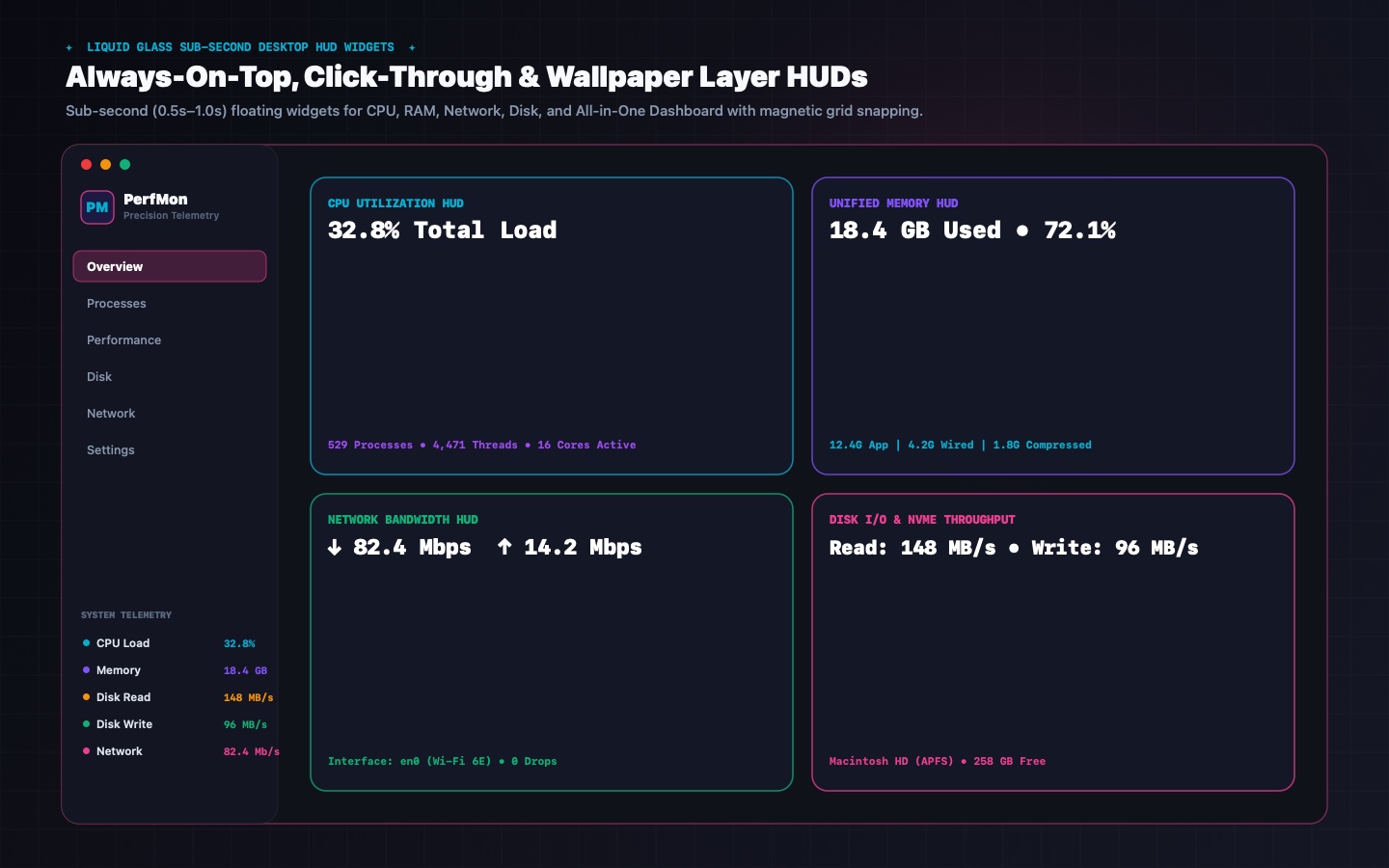
macOS WidgetKit restricts widgets to updating once every 5–15 minutes. PerfMon bypasses this limitation with native, high-frequency (0.5s–1.0s) floating HUD ribbons and pop-out monitors with desktop layer wallpaper pinning, always-on-top mode, and click-through support.
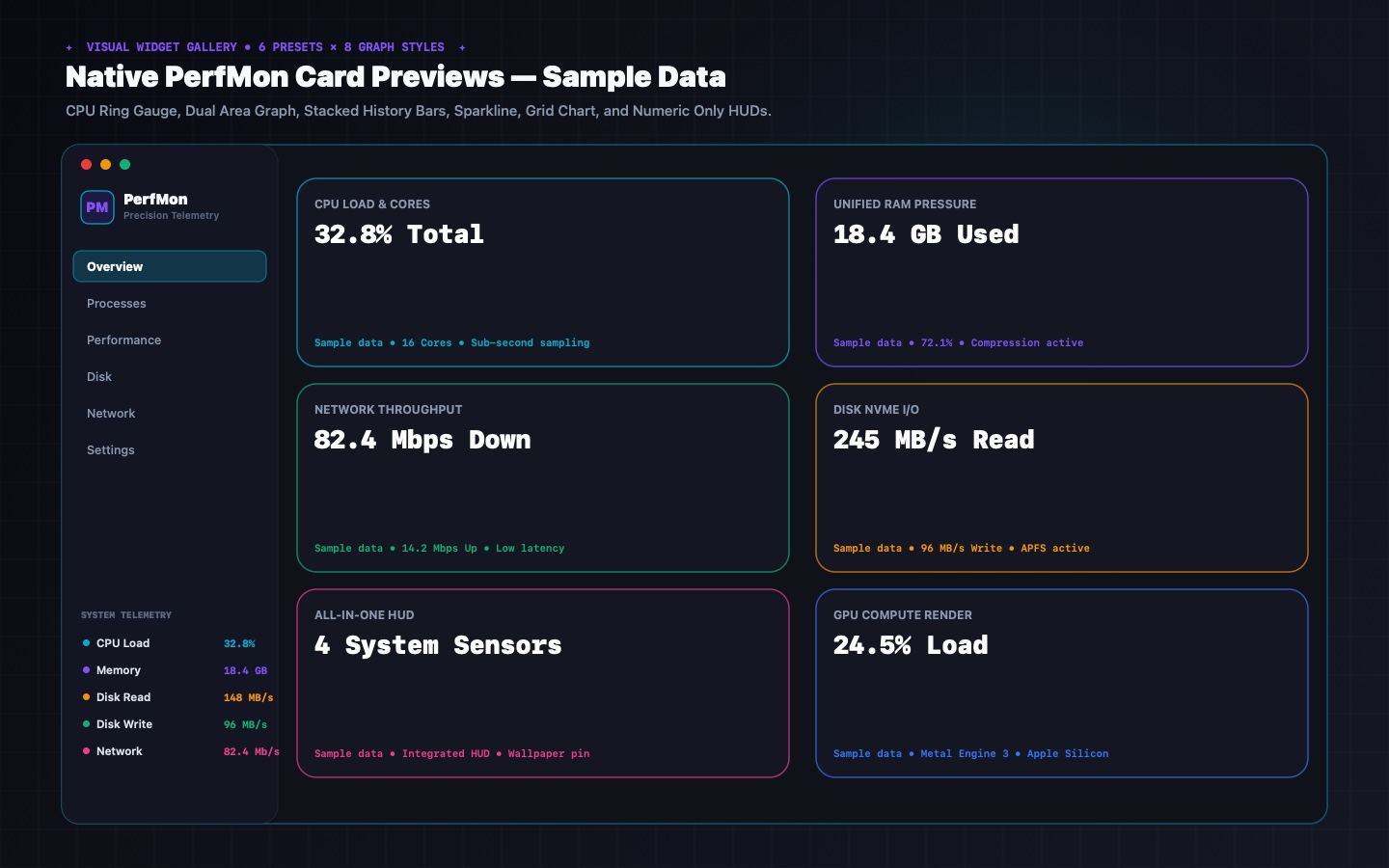
Build bespoke desktop widgets targeting specific hardware components. Choose from a visual 6-preset gallery with eight graph styles, rounded Cards, per-disk breakouts (internal NVMe vs. external USB/Thunderbolt), per-adapter metrics, and adaptive network scaling.
Pin widgets directly to target applications (Xcode, Docker, Blender) with optional process hierarchy aggregation to capture all spawned child workers. Widgets survive reboots and PID changes safely via persistent process name tracking and graceful idle states.
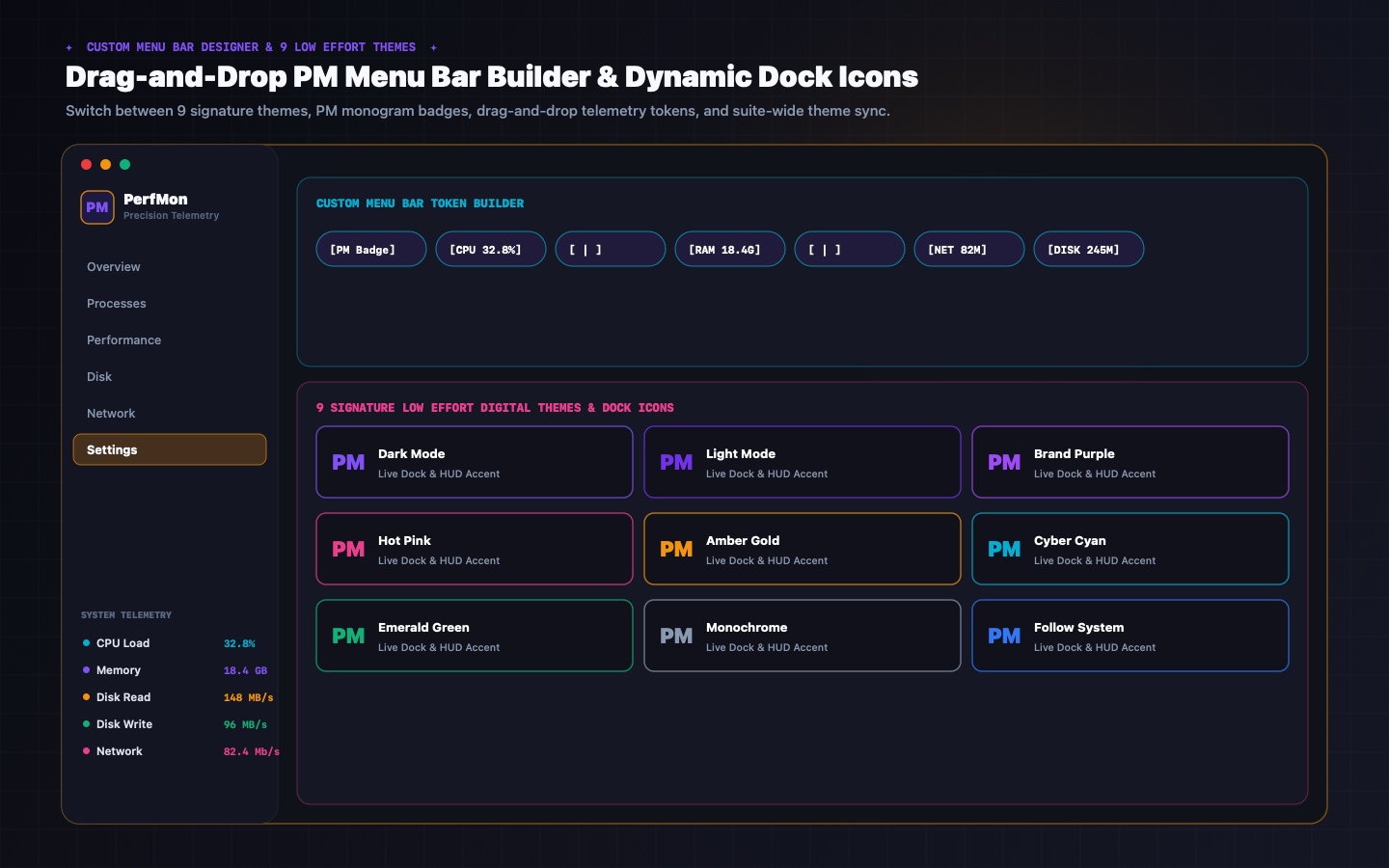
Personalize your macOS menu bar stats strip using a drag-and-drop token rack. Arrange labels, system values, and separators, preceded by an embossed vector "PM" monogram badge. Includes independent font/value color customization and monospaced digits.
Visual 3-column topology flow map: Local Processes → File Access Pipes (FD, Read/Write, file extension) → Target Files & Volumes. Active file handles display by default, with intelligent directory classification (USER, DEV, APP, SYS, LIB, TMP, VOL) and 1-click process isolation.
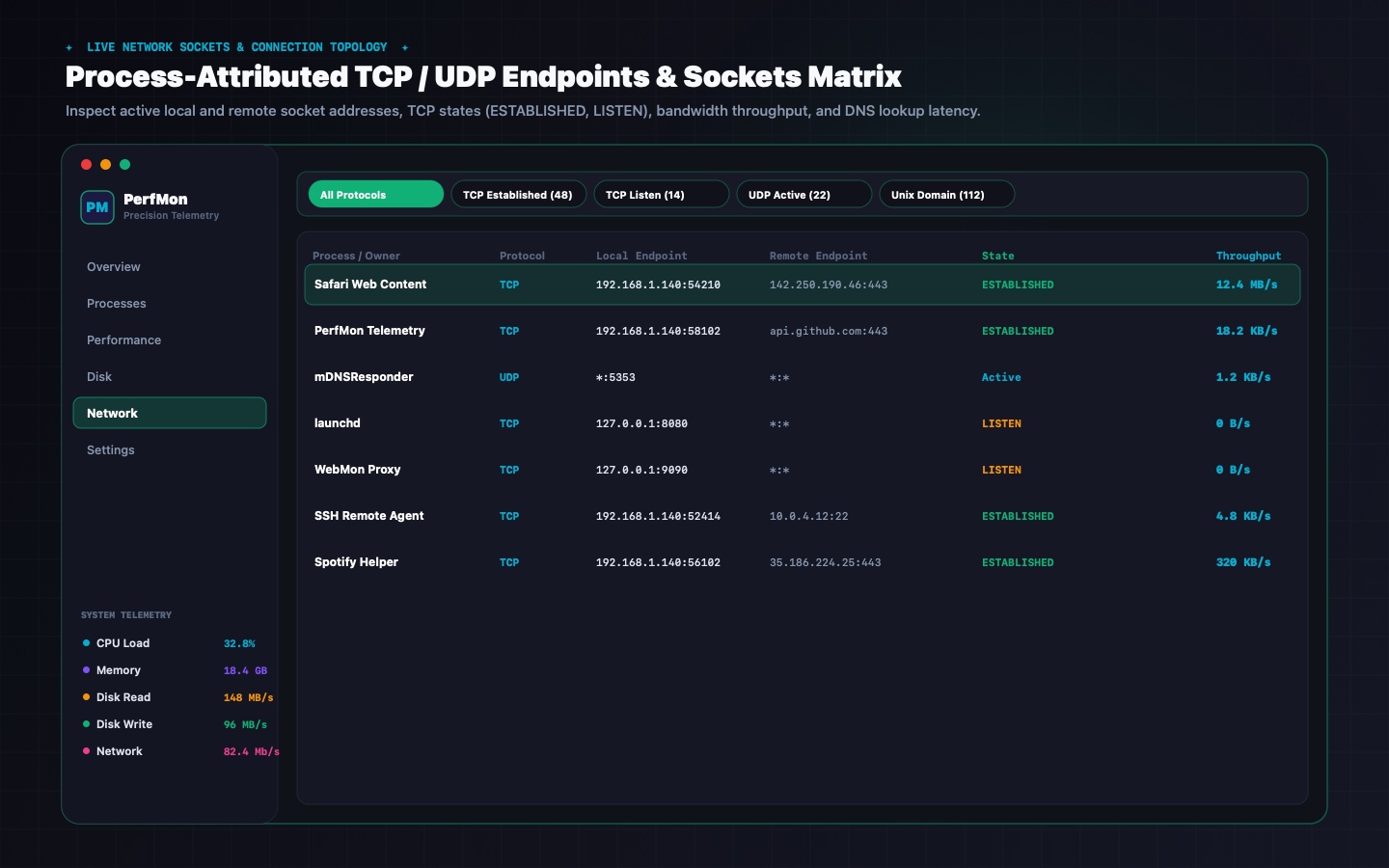
Visual 3-column connection map linking processes to socket states and remote endpoints. Active sockets and endpoints display as primary default view, backed by an asynchronous reverse DNS actor with cloud provider tags (Apple, Google, AWS, Cloudflare, GitHub).
Direct Darwin IOKit telemetry across USB 2.0/3.x/USB4, Thunderbolt, and PCIe storage. PerfMon extracts real-time electrical current (mA) and total wattage (W) across Apple Silicon IOUSBHostFamily, AppleUSBHostPort, and IOPort Type-C registries with external PCIe NVMe storage correlation.
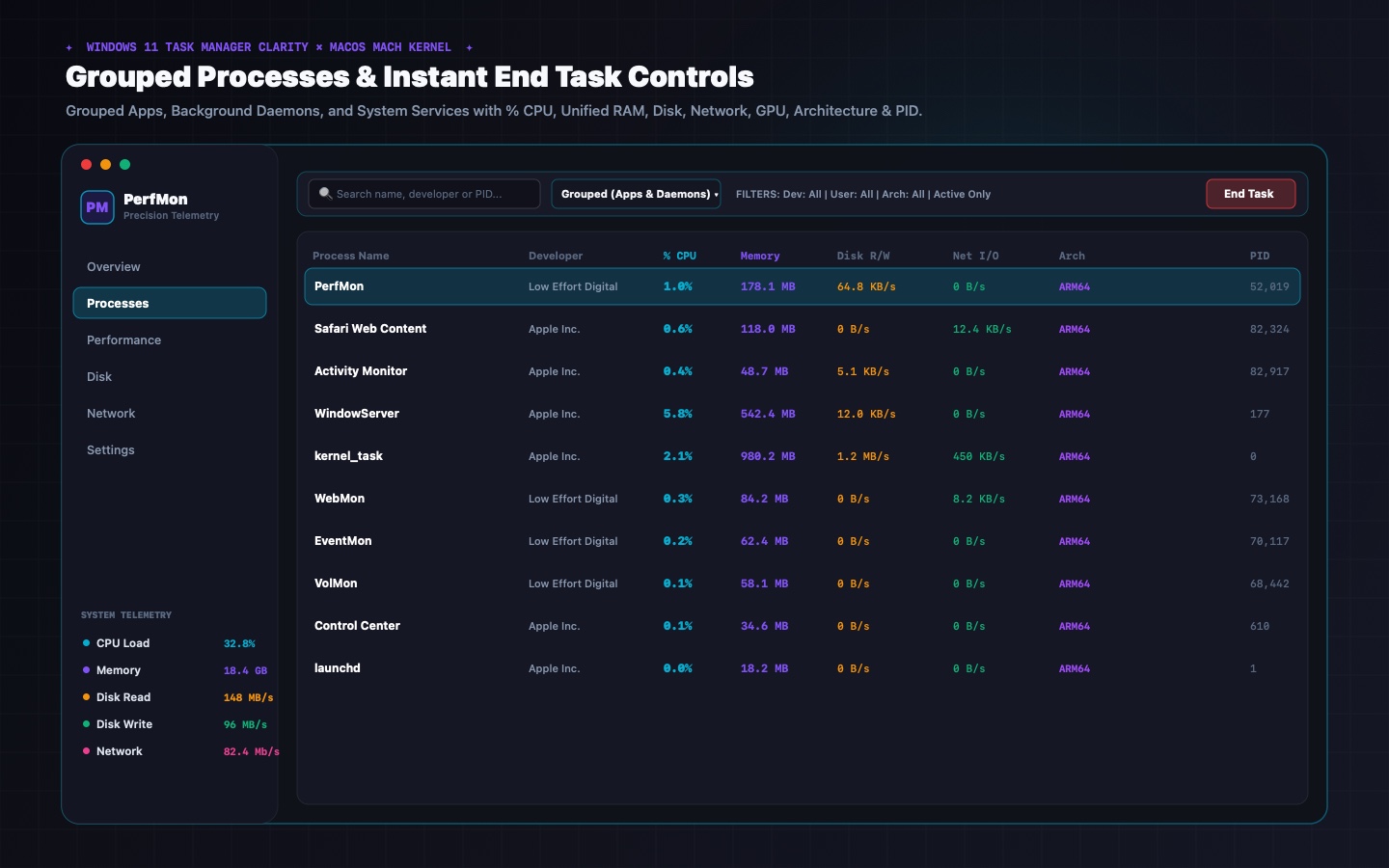
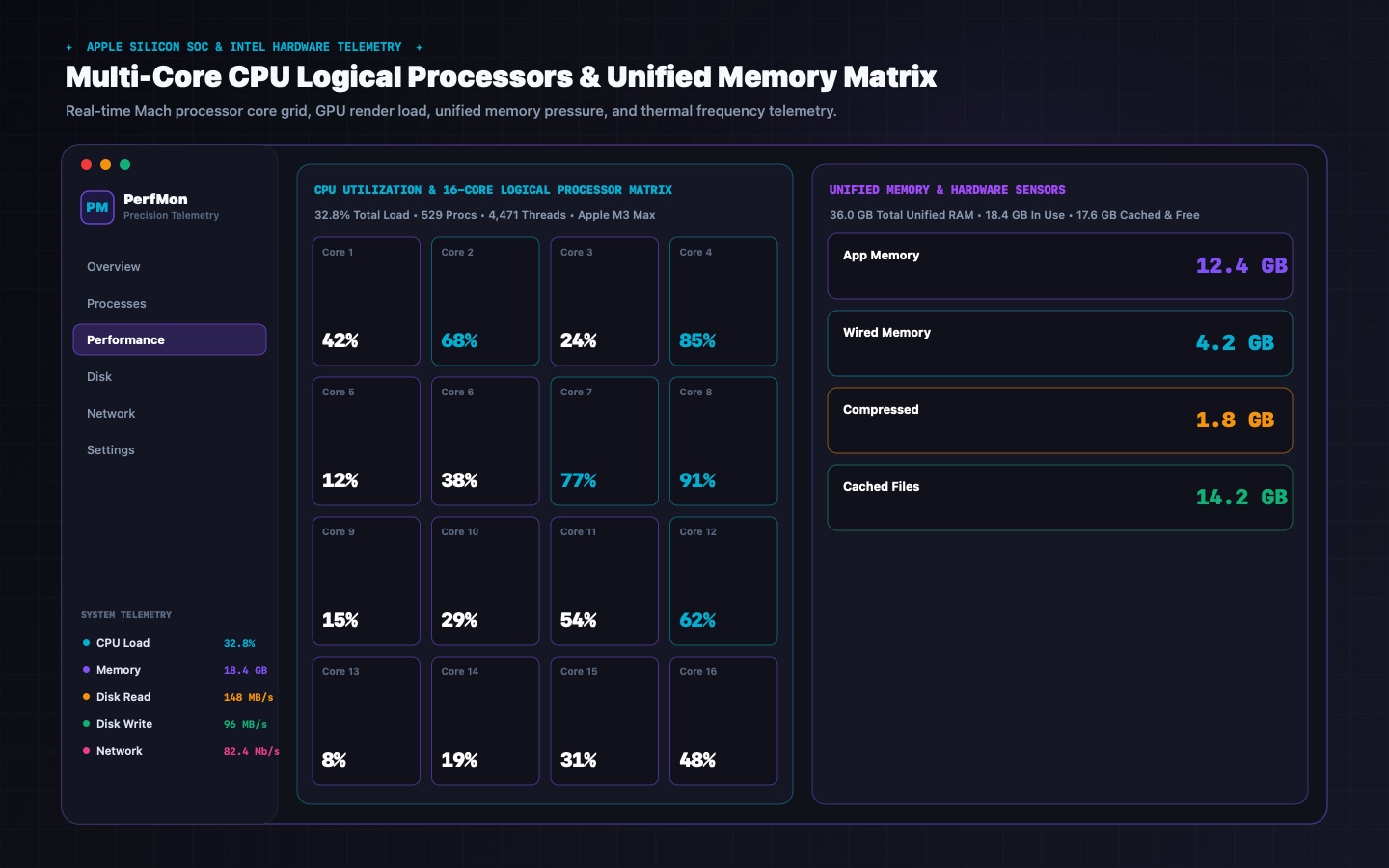
Windows 11 grouped categorization (Apps vs. Daemons) with ARM64/x86_64 badges and safe End Task / Force Quit. 60-second rolling CoreGraphics/Metal waveforms for CPU (logical processors multi-grid), Unified RAM, Disk, Network, and Apple Silicon GPU via direct IOAccelerator.
Comprehensive GUI managing macOS Login Items and LaunchAgents (~/Library/LaunchAgents and /Library/LaunchAgents). Inspect bundle IDs, toggle execution on/off, add custom binaries, and reorder custom token strips and desktop widgets via intuitive drag handles.
Closing the main window (⌘W or red X) seamlessly hides the window and drops the Dock icon via .accessory activation policy while keeping your Menu Bar item and desktop widgets active. Instant restore from the Menu Bar, double-clicking any widget, or app relaunch.
One-click synchronization of themes, custom accent hex colors, monogram styles, and persistent on-disk Dock icons (`AppIcon.icns`) across PerfMon, EventMon, VolMon, and WebMon—plus live per-process and per-socket download/upload bandwidth and cumulative bytes via `nettop` delta sampling.
Zero third-party trackers, zero advertising IDs, zero cloud telemetry servers. Optional anonymous local telemetry tracks launch counts, session duration, and update checks. Full user transparency: inspect live JSON logs, export, one-click purge, or disable completely in Settings.
Designed for Power Users & Developers
Take a visual tour through PerfMon v2.3's native liquid glass interface, sub-second widgets, token designers, and connection topology maps.
PerfMon v2.3 System Architecture
PerfMon v2.3 vs. Apple Activity Monitor
| Capability | PerfMon v2.3 (Low Effort Digital) | macOS Activity Monitor |
|---|---|---|
| Windows 11 Fluent Layout & Sidebar | ✓ Full Native Recreation in Swift 6 | ✗ Classic macOS Tab View |
| Sub-Second Desktop Widgets (0.5s–1s) | ✓ Real-time sub-second sampling (bypasses WidgetKit delay) | ✗ Dock Icon Only (Slow) |
| Modular Custom Desktop Widget Builder | ✓ Breakout specific disks, network adapters, & process trees | ✗ None |
| Process-Locked Widgets with Restart-Safe PID | ✓ Auto-rebinds across reboots via process name tracking | ✗ None |
| Custom Menu Bar Extra & PM Monogram Badge | ✓ Drag & drop token rack, PM monogram badge, custom font/value colors | ✗ Basic static CPU history bar |
| Disk Access Topology Map & File I/O Isolation | ✓ 3-Column visual file I/O flow, directory categories & 1-click isolation | ✗ Raw flat open files list only |
| Network Connection Map & Reverse DNS | ✓ 3-Column visual topology, reverse DNS & cloud provider badges | ✗ Raw socket list only |
| Hardware Bus Architecture Monitor | ✓ Real-time USB, Thunderbolt & PCIe link rates & power delivery | ✗ None (Separate System Profiler app) |
| Logical Processors CPU Multi-Grid View | ✓ Individual CoreGraphics waveform per P-Core & E-Core | ✗ Separate Floating Bar Window |
| Apple Silicon GPU Telemetry | ✓ Direct IOAccelerator utilization & Metal driver allocations | ✓ Aggregate GPU % |
| Multi-Display HUD Position Auto-Restore | ✓ Relative Screen Translation across reboots | ✗ None |
| Parent/Child Process Hierarchy Tree | ✓ Multi-Level Subtree View with safe End Task / Force Quit | ✗ Flat Table Only |
| Per-Process Disk & Network Trace Recording | ✓ Live Tracing & CSV/JSON Export | ✗ Aggregate Only |
| Multiple App Themes & Live Icon Switching | ✓ Dark, Vivid Purple, Hot Pink, Mono with dynamic Dock icon | ✗ System Theme Only |
| Anonymous On-Device Telemetry & Full Privacy | ✓ 100% on-device JSON logs, zero cloud trackers, one-click purge & toggle | ✓ Apple Internal |
What's New in PerfMon v2.3 (Build 22) & How to Install
PerfMon v2.3 upgrades interactive controls with tactile LowEffortButtonStyle surfaces, adds active-display multi-monitor widget placement with always-on-top floating mode, and synchronizes themes and Dock icons across the entire Low Effort Suite.
• Homogenized tactile LowEffortButtonStyle across all toolbars and dialogs.
• Active-screen multi-display widget placement (preferredActiveScreen()) & always-on-top toggle.
• Per-process & per-socket live download/upload bandwidth + 8 desktop widget graph styles.
1. Download PerfMon.dmg.
2. Mount the disk image and drag PerfMon.app into /Applications.
3. If Gatekeeper prompts on first launch, right-click PerfMon.app → Open or run xattr -cr /Applications/PerfMon.app.
PerfMon queries Darwin/Mach kernel APIs (host_processor_info, proc_pidinfo, IOAccelerator, IOBlockStorageDriver) directly in user space—no kernel extensions or privileged helper daemons needed.
PerfMon v2.3 Frequently Asked Questions
Apple's WidgetKit throttles standard desktop widgets to 5–15 minute refresh budgets. PerfMon uses hardware-accelerated AppKit NSPanel windows pinned either directly to your desktop wallpaper layer (.desktop) or floating on top (.floating), updating graphs every 0.5–1.0s with <1.5% CPU usage.
Yes. Both the Processes tab and the Network tab track real-time download and upload rates (DOWN / S, UP / S) and cumulative session bytes (TOTAL IN, TOTAL OUT) per process and per socket, with 1-click process isolation in the 3-column Network Flow Map.
PerfMon's Process-Locked Widgets track both PID and bundle/executable name. When a monitored app (like Xcode, Blender, or Docker) quits and relaunches under a new PID, the widget automatically rebinds to the new process tree without losing historical sparklines.
Selecting any of the 9 studio themes, custom hex accents, or monogram styles in PerfMon writes to a shared local preference manifest (~/.loweffort_theme_sync.json) that EventMon, VolMon, and WebMon automatically adopt—including persistent on-disk .app bundle icons.
Explore Sibling Utilities
All Low Effort tools share seamless cross-app theme and Dock icon synchronization, sub-second desktop HUD widgets, and 100% on-device privacy.

Done optimizing with PerfMon v2.3?
Go play something bad.
You deserve a break. We have 12 games. They're all weird. Most are free. None will make you better at anything.
🎮 Browse our bad games