VolMon v2.1
VolMon v2.1 brings an interactive Top 50 Non-Overlapping Folder Ring Gauge & Concentric Sunburst explorer, accurate POSIX FTS physical block footprints, real-time APFS purgeable space telemetry, and boot-first progressive volume scanning to macOS. Switch between Sunburst (Parent Roots + Top 50 Exclusive Folders), Single Ring, and Parent Roots views with instant drill-down filtering, switch active volumes across every action page so already-offloaded folders are protected from duplicate offload actions, inspect mounted volumes with symlink & APFS clone deduplication, manage Git repositories and linked worktrees non-blockingly, stream compressed .tar.gz/.zip archives directly to external drives while reclaiming local SSD space, guard against unwanted CloudStorage hydration (iCloud, OneDrive, Google Drive, Dropbox), and sync themes & persistent Dock icons across PerfMon, EventMon, VolMon, and WebMon.
True APFS Physical Storage Accounting & External Archive Automation
macOS System Settings Storage and Spotlight frequently double-count APFS copy-on-write clones across linked Git worktrees and agent sandboxes—or accidentally trigger 30 GB+ cloud storage downloads during folder enumeration. VolMon solves both at the filesystem level.
Tracks canonical realpaths, inode identities, and APFS copy-on-write clone siblings across `~/Repos` and linked worktree directories so shared blocks are counted once—eliminating the massive overcounts seen in Spotlight (`mdfind`) and naive `du` scans.
Discovers repositories and linked worktrees (`~/.antigravity/worktrees`, `~/Repos`) on a background task with a live determinate progress bar, instant tab switching, and a single-pass physical footprint calculator.
Streams selected folders or stale worktrees directly into a compressed `.tar.gz` or `.zip` bundle on an external volume (`tar -czf` without staging an uncompressed copy that inflates APFS clone blocks), verifies the archive, and automatically reclaims space on your internal SSD.
Prevents accidental 30 GB+ cloud file downloads during volume scans by skipping iCloud Drive, OneDrive, Google Drive, and Dropbox roots by default—with individual per-provider toggles and performance warnings in Settings → Scan & Cloud.
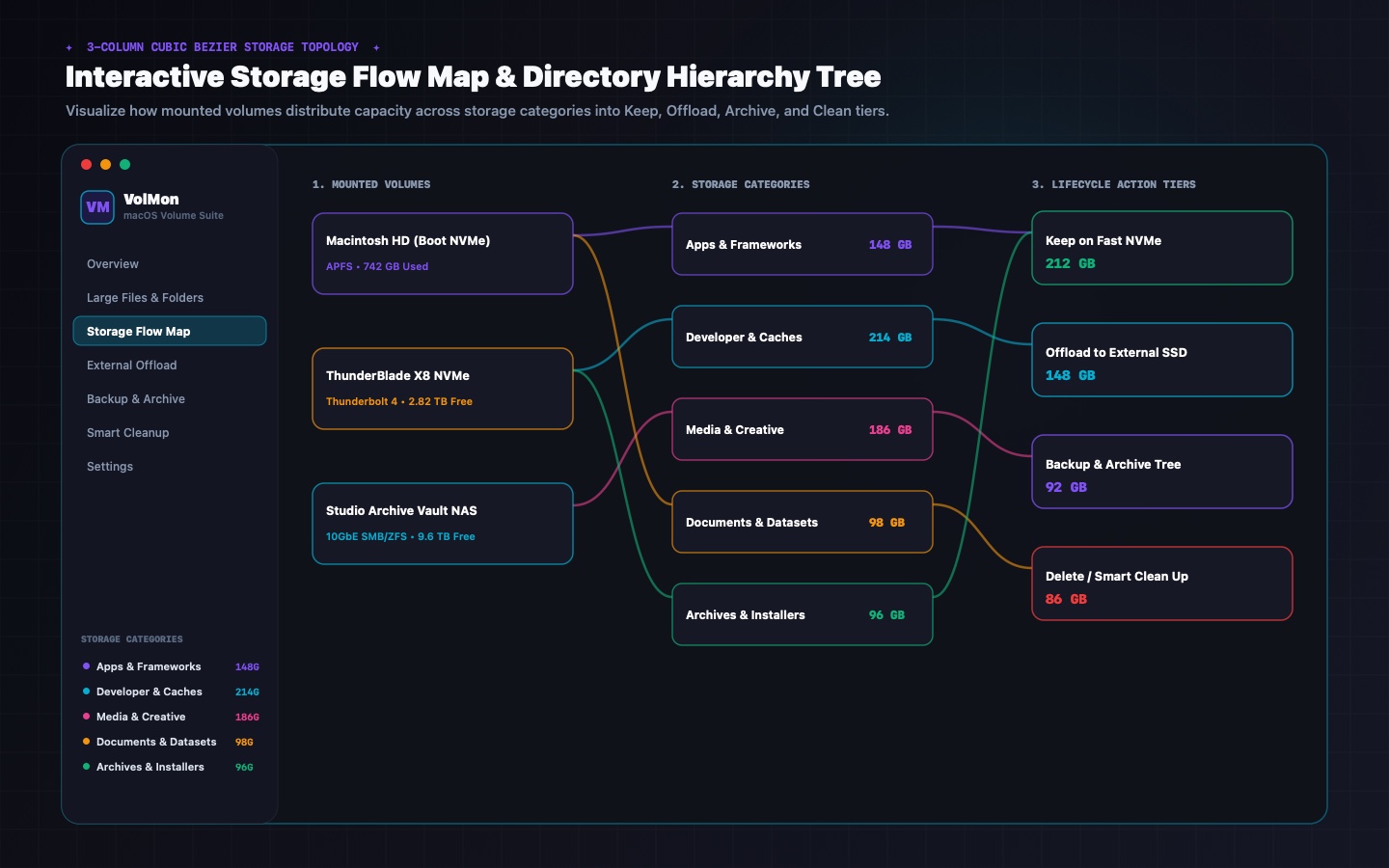
Interactive 3-column Bezier topology connecting File Categories & Producers → Mounted APFS/External Volumes → Offload & Archive Destinations with proportional bandwidth ribbons and 1-click category isolation.
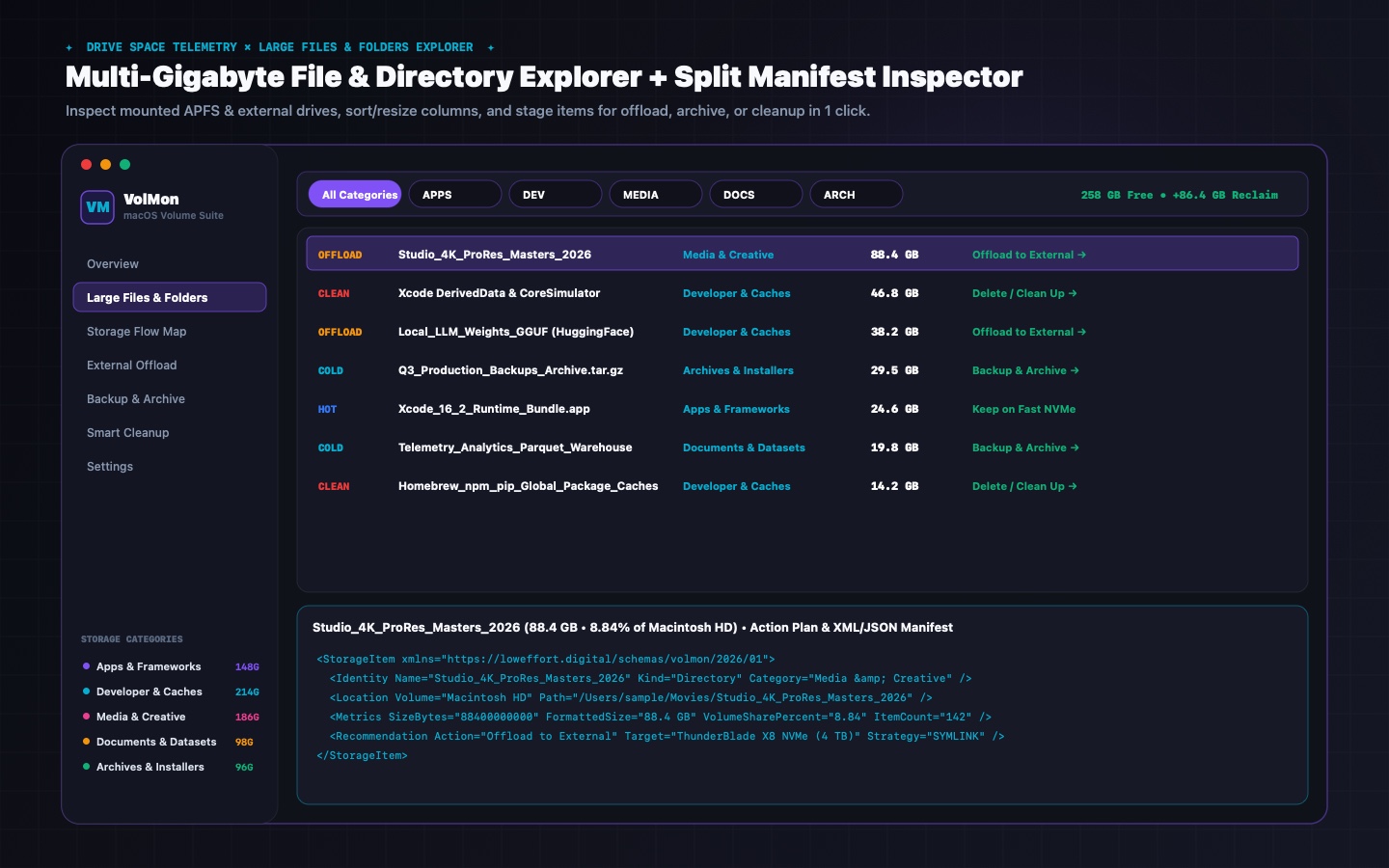
Pinpoints DerivedData, SwiftPM build artifacts, node_modules, Xcode Archives, Docker layers, and APFS purgeable snapshots with safe Move-to-Trash, external drive offload, or direct compressed archive actions.
Enable Advanced Scan Mode in Settings to inspect live scan phase timings, skipped cloud roots, symlink loop detections, and subprocess execution metrics in a dedicated real-time diagnostic drawer.
Choose from six desktop widget presets (Volume Capacity, Storage Breakdown, Offload Queue, I/O Pulse, Category Ring, and Dual History) with optional rounded Card HUDs and eight storage graph styles.
Customize your macOS menu bar with VM/LE monogram badges and live free-space tokens, while automatically syncing your chosen studio theme, accent color, and persistent Dock icon across PerfMon, EventMon, and VolMon.
Inside VolMon v2.1 for macOS
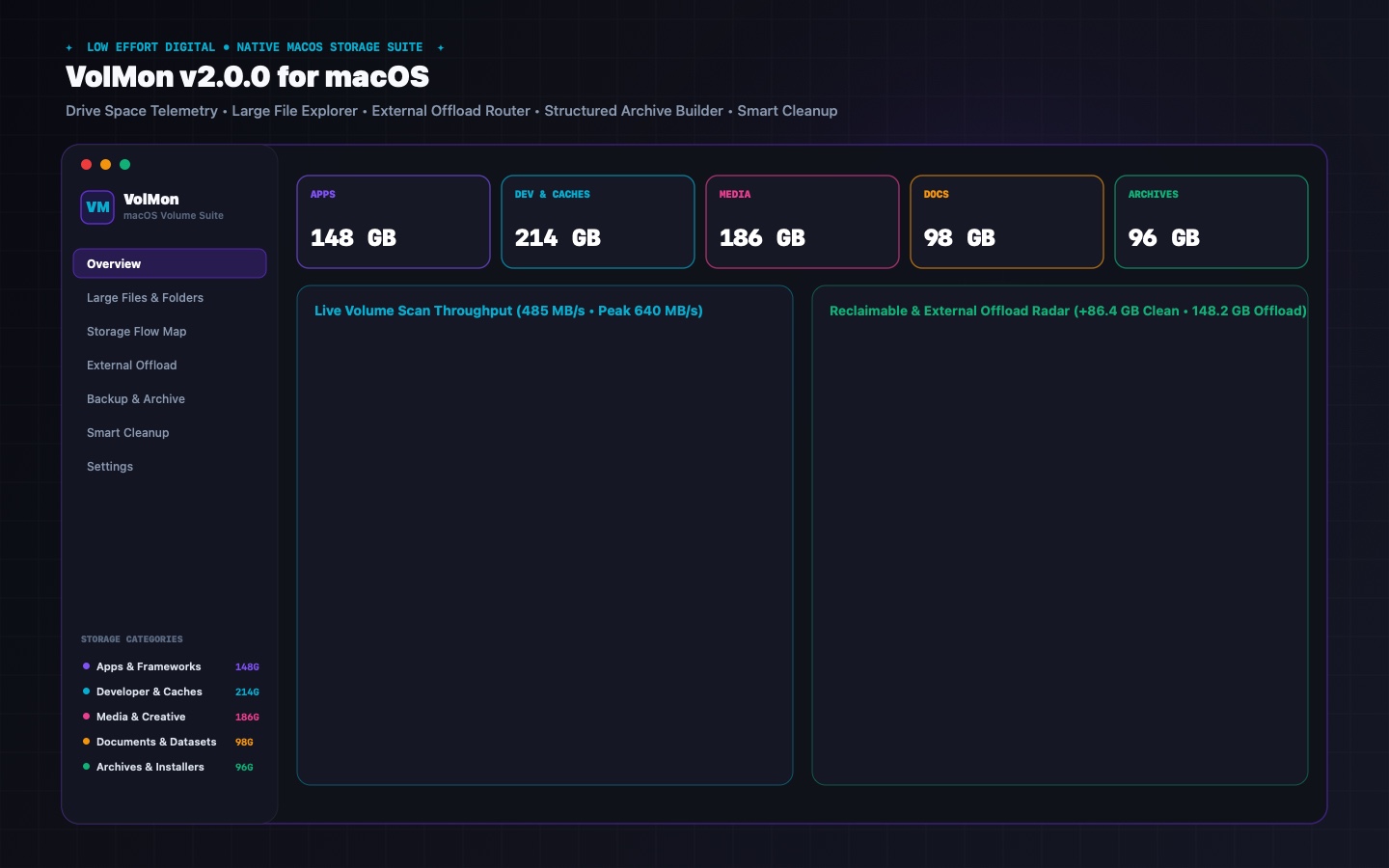
Every screen is rendered natively using SwiftUI and CoreGraphics with deterministic sample volume data—giving you instant visibility into large files, APFS clones, external offloads, and desktop widgets.
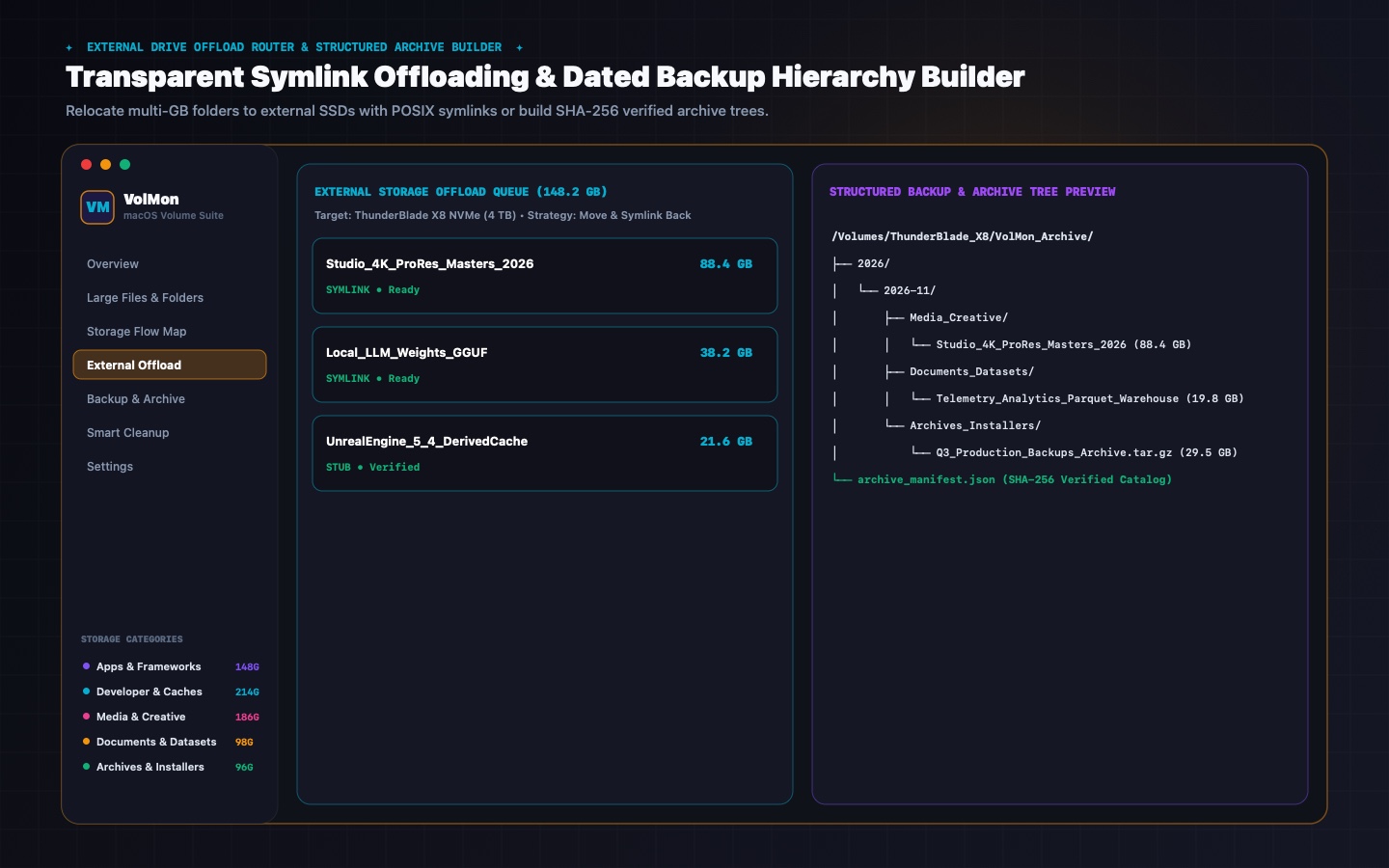
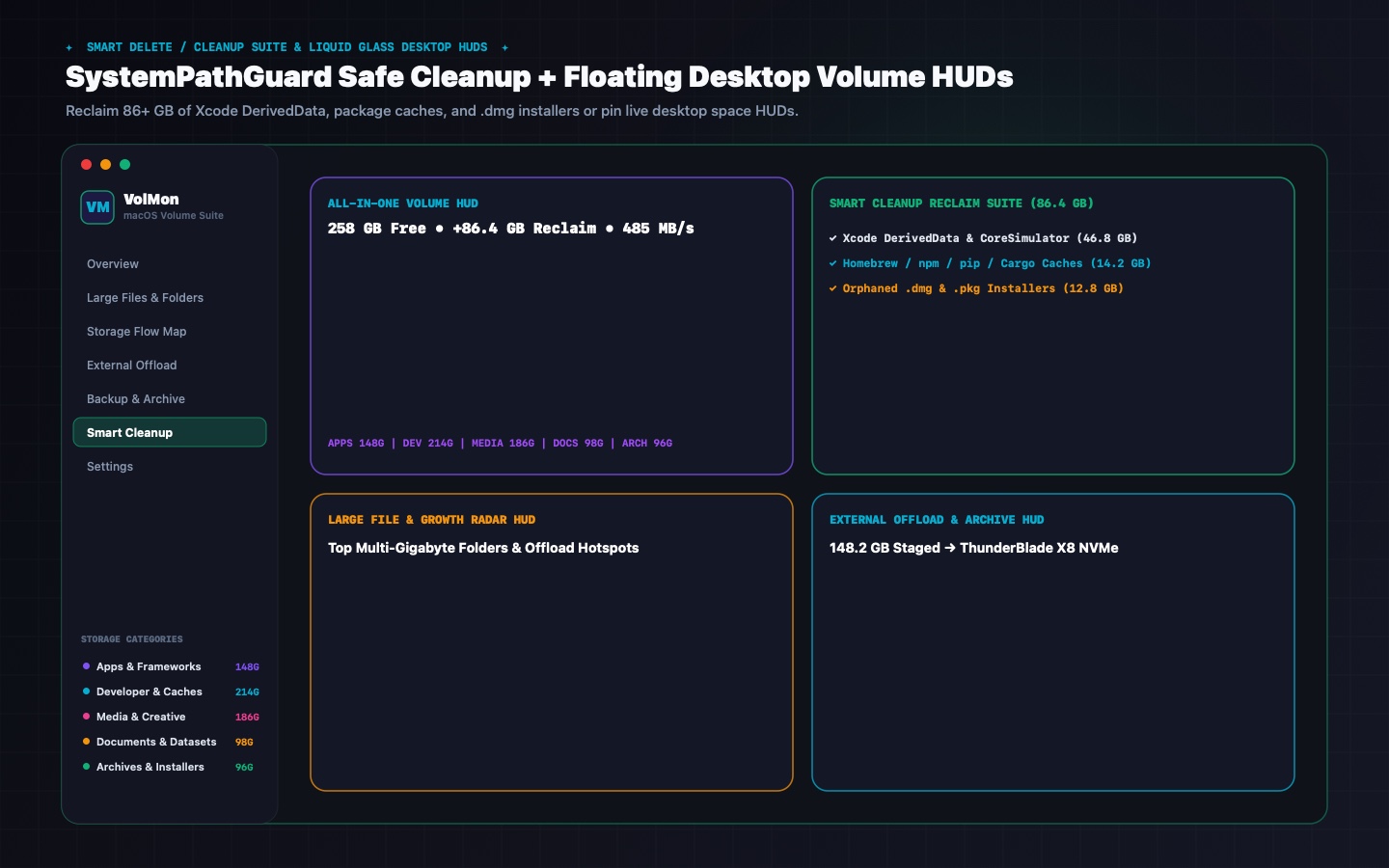
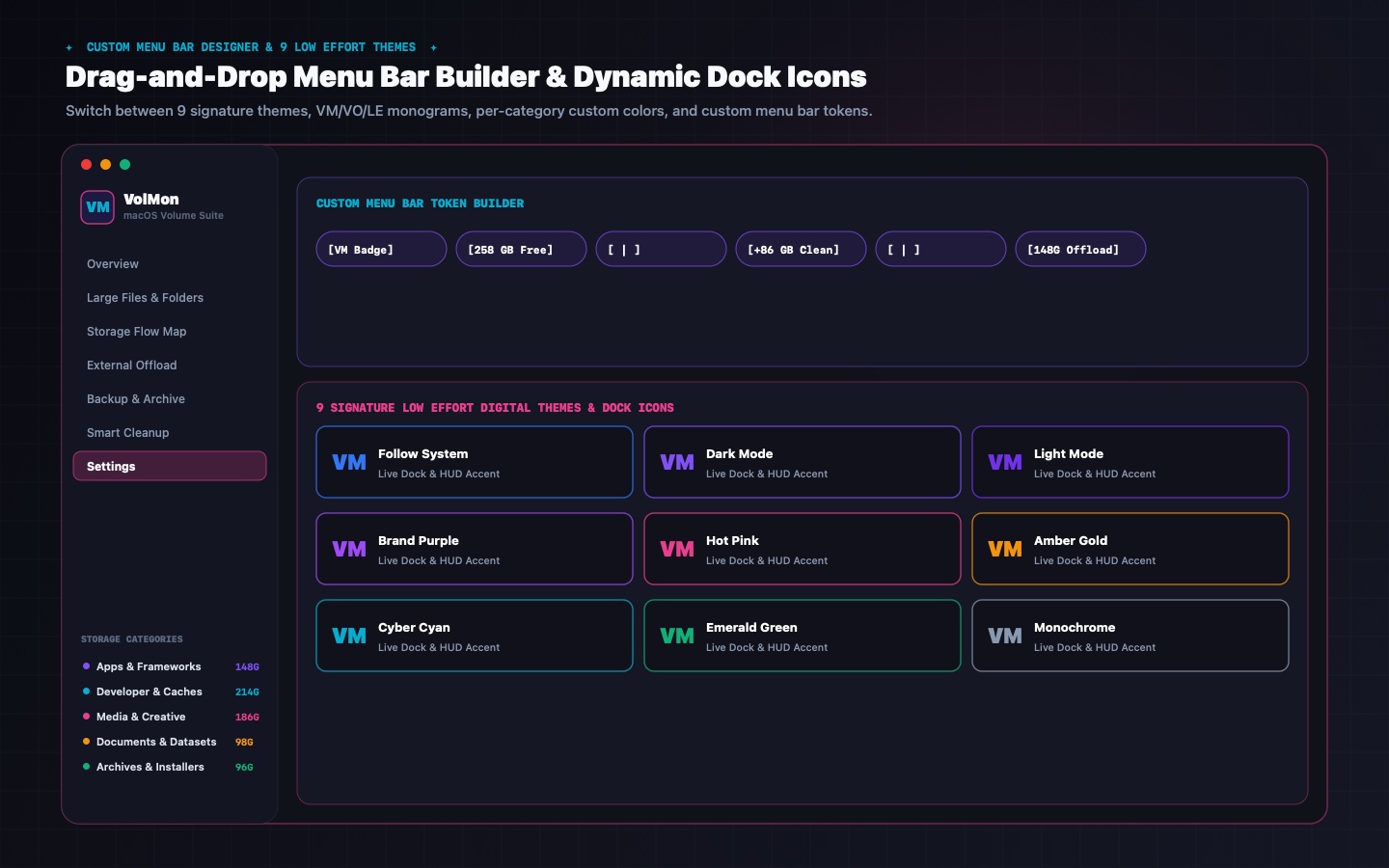
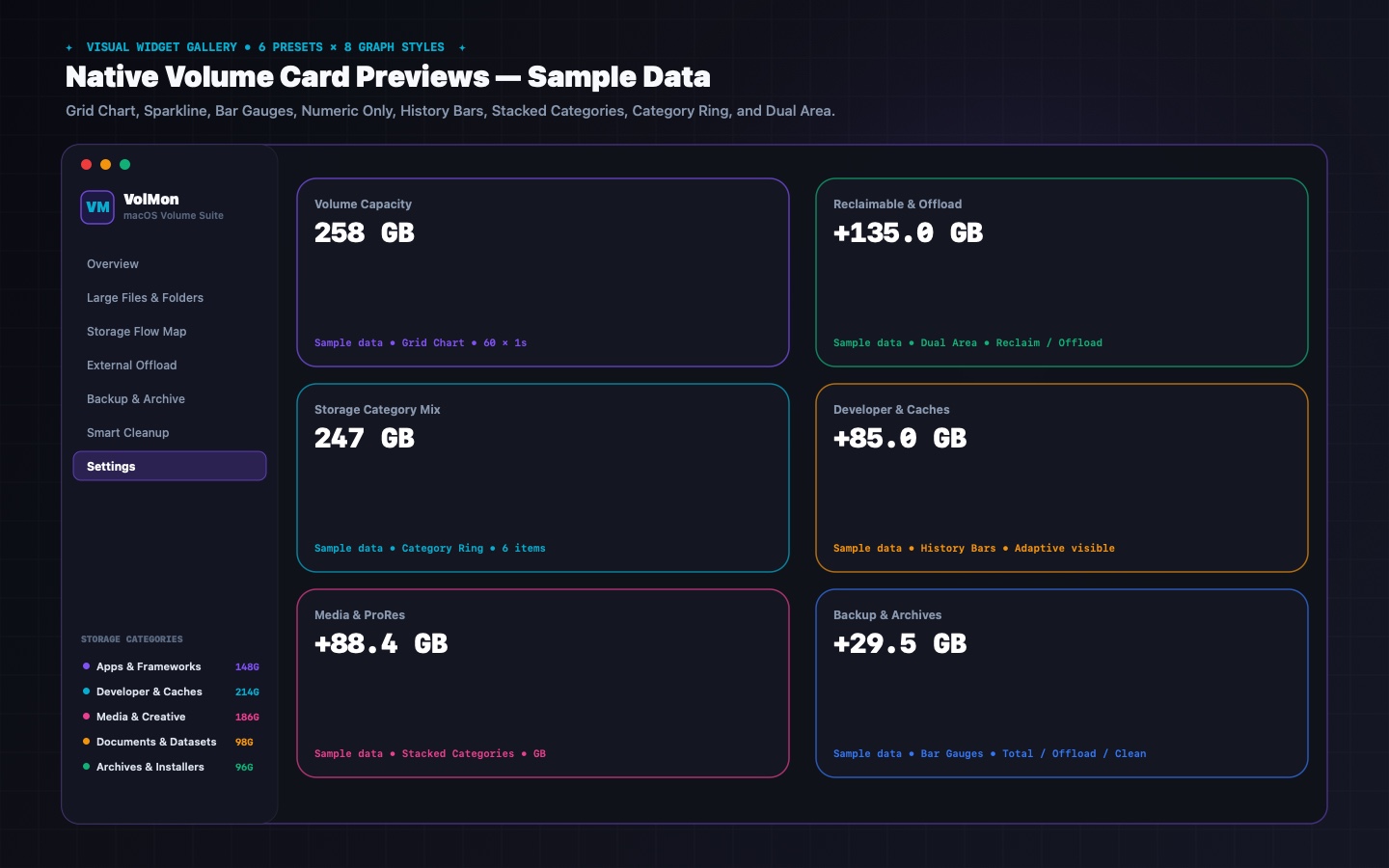
VolMon v2.1 System Architecture
VolMon v2.1 vs. macOS System Settings Storage
| Capability | VolMon v2.1 (Low Effort Digital) | macOS System Settings Storage |
|---|---|---|
| APFS Clone & Symlink Deduplication | ✓ True physical allocation accounting across linked Git worktrees | ✗ Spotlight/mdfind frequently double-counts APFS clones |
| Git & Linked Worktree Manager | ✓ Non-blocking background discovery, progress bar, & 1-click prune | ✗ None |
| Direct .tar.gz External Archive & Local SSD Reclaim | ✓ Direct compressed stream to external drive + automatic local SSD source removal | ✗ Manual copy inflates APFS clone blocks on target drive |
| Cloud Storage Provider Hydration Guard | ✓ Skips iCloud, OneDrive, Google Drive & Dropbox by default (per-provider toggles) | ✗ Naive folder enumeration can trigger 30 GB+ cloud downloads |
| 3-Column Bezier Storage Flow Map | ✓ Interactive topology (Categories → Mounted Volumes → Offload Targets) | ✗ Flat colored bar only |
| Decimal GB + Base-2 GiB Dual Capacity Display | ✓ Shows both macOS decimal GB and Base-2 GiB side by side | ✗ Decimal GB only |
| Sub-Second Desktop Volume HUDs & Card Widgets | ✓ 6 widget presets + 8 graph styles + .desktop wallpaper pinning | ✗ None |
| Custom Menu Bar Token Builder & VM Monogram | ✓ Drag & drop token rack, VM/LE badge, custom hex colors | ✗ None |
| Low Effort Suite Cross-App Theme & Icon Sync | ✓ Syncs 9 themes & persistent Dock icons across PerfMon, EventMon & VolMon | ✗ System Theme Only |
What's New in VolMon v2.1 (Build 23) & How to Install
VolMon v2.1 introduces the interactive Top 50 Non-Overlapping Folder Ring Gauge & Concentric Sunburst explorer, accurate POSIX FTS physical block footprints, real-time APFS purgeable space telemetry, and boot-first progressive volume scanning.
• Interactive Top 50 Non-Overlapping Folder Ring Gauge & Concentric Sunburst explorer.
• Accurate POSIX FTS physical block footprints with inode & APFS clone deduplication.
• Real-time APFS purgeable space telemetry & boot-first progressive volume scan.
1. Download VolMon.dmg.
2. Mount the disk image and drag VolMon.app into /Applications.
3. On first launch, right-click VolMon.app → Open or run xattr -cr /Applications/VolMon.app.
Every offload, symlink, worktree prune, and compressed .tar.gz archive operation is recorded in a local audit log with dry-run previews and confirmation safeguards.
VolMon v2.1 Frequently Asked Questions
Standard tools sum logical file bytes and frequently double-count APFS copy-on-write clones and linked Git worktrees. VolMon deduplicates physical inode and clone allocations and displays both decimal GB and Base-2 GiB capacities side by side.
Instead of creating a temporary archive on your nearly full internal SSD first, VolMon streams compressed .tar.gz or .zip archives directly to your external drive and optionally reclaims the local source folder once checksum verification succeeds.
Every action page in VolMon features a top Volume Switcher bar. Folders that have already been symlink-offloaded to an external drive are automatically badged and locked against duplicate offload operations until you switch the active target volume.
Never by default. VolMon's CloudStorage Hydration Guard skips ~/Library/CloudStorage and iCloud ubiquity containers unless you explicitly toggle individual cloud providers on in Settings.
Explore Sibling Utilities
All Low Effort tools share seamless cross-app theme and Dock icon synchronization, sub-second desktop HUD widgets, and 100% on-device privacy.

Done optimizing with VolMon v2.1?
Go play something bad.
You deserve a break. We have 12 games. They're all weird. Most are free. None will make you better at anything.
🎮 Browse our bad games